
Forecast your sales and see stockouts coming.
Planiprev brings together sales, orders, stock and purchases, item by item and month by month. You adjust the baseline and the promotions; projected stock, cover and stockouts recalculate. And an AI Agent answers your questions about the forecast.
Free trial · full user guide · connects to any ERP, or runs on Excel files
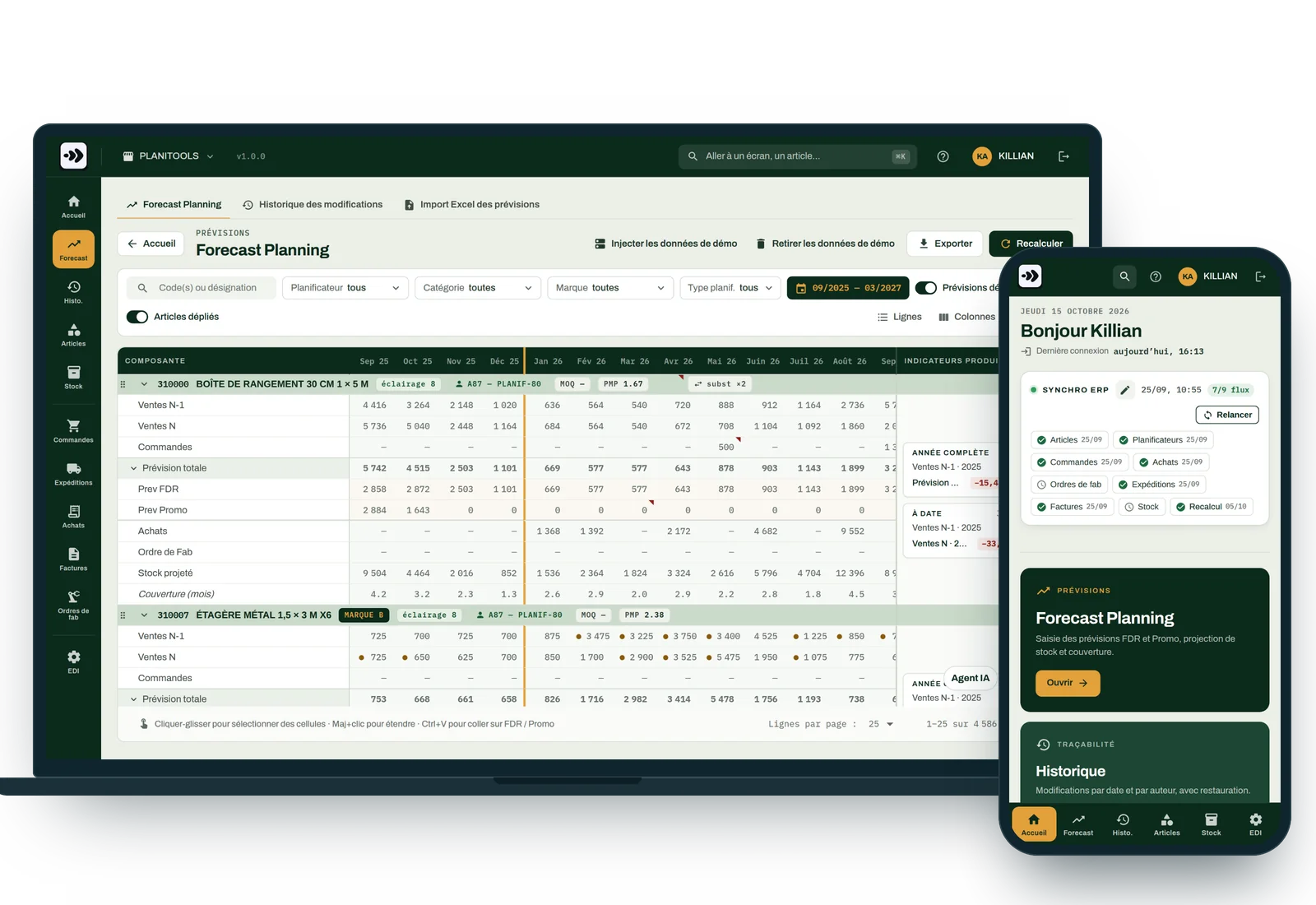
The monthly forecast review
Sound familiar?

The workbook to piece back together
Sales, orders, stock, purchases: every month, ERP exports to put back into the right tab.

The stockout found too late
You find out when the customer calls. Nobody had recalculated projected stock.

“Who changed this figure?”
A forecast edited with no name and no reason. And no way back.

The question left waiting
“When does the next container arrive?” “What can replace this item?” The answer waits for the one person who knows.
The forecast
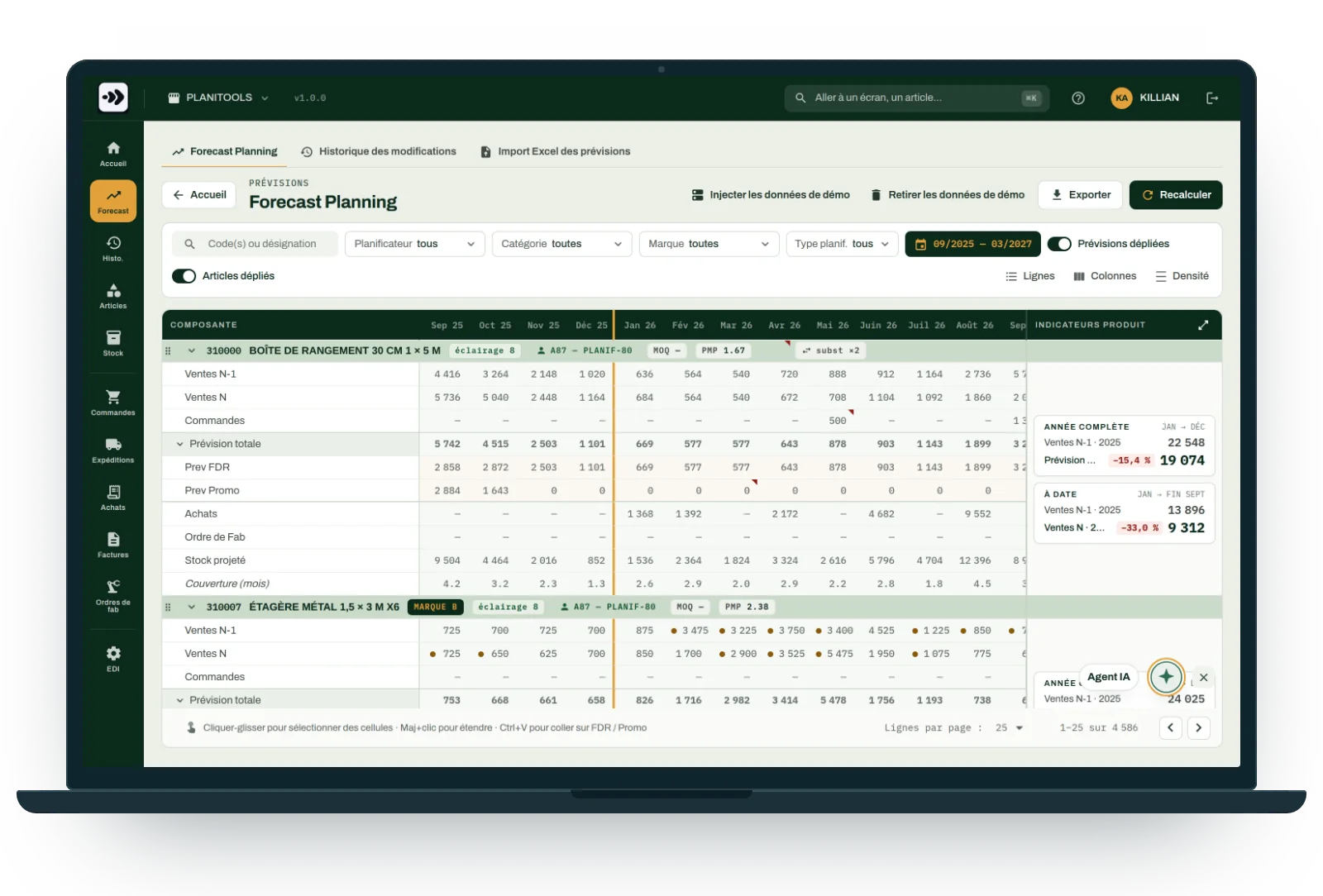
One grid, item by item, month by month
Everything you need to decide, on one line: what was sold, what is on order, what is coming in, and what you forecast.
- Sales last year and this year, order book, purchases, manufacturing orders, projected stock, months of cover.
- Baseline and promotion entered separately; the total forecast is their sum.
- KPIs per item: full year and year to date, variance against last year.
- Filters by planner, category and brand; search for several item codes at once.
- Copy and paste from Excel, full screen, Excel export.
Stockouts
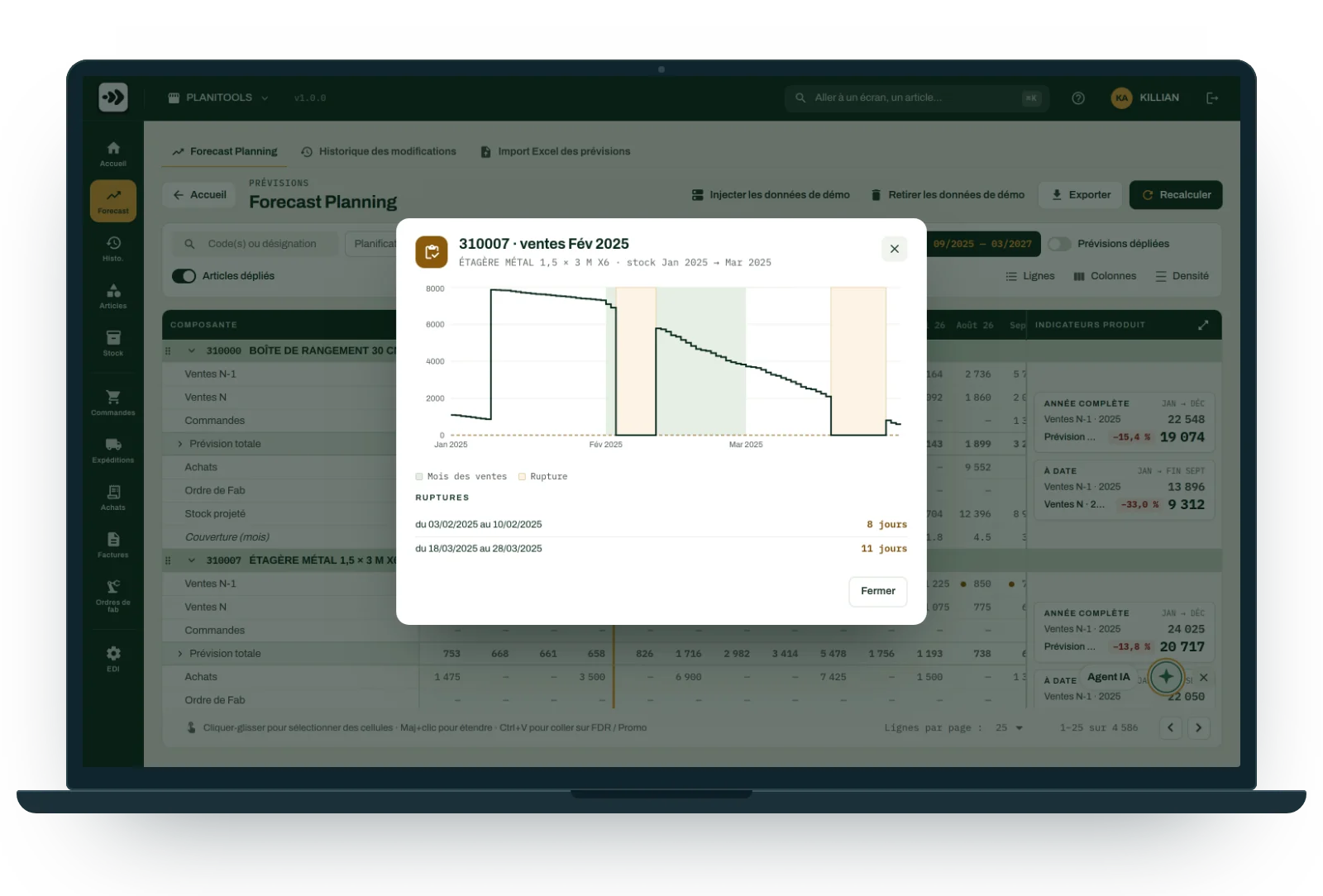
The stockout, before it happens
One click on an item: its stock curve day by day, and every stockout period, dated, with its length.
- Projected stock follows the forecast, the orders and the expected receipts.
- Months of cover also flag overstock.
- Interchangeable items are grouped: the substitute, its stock, its next receipt.
- Sales can be broken down by named customer when needed.
Several people, no stepping on toes
A forecast that remembers
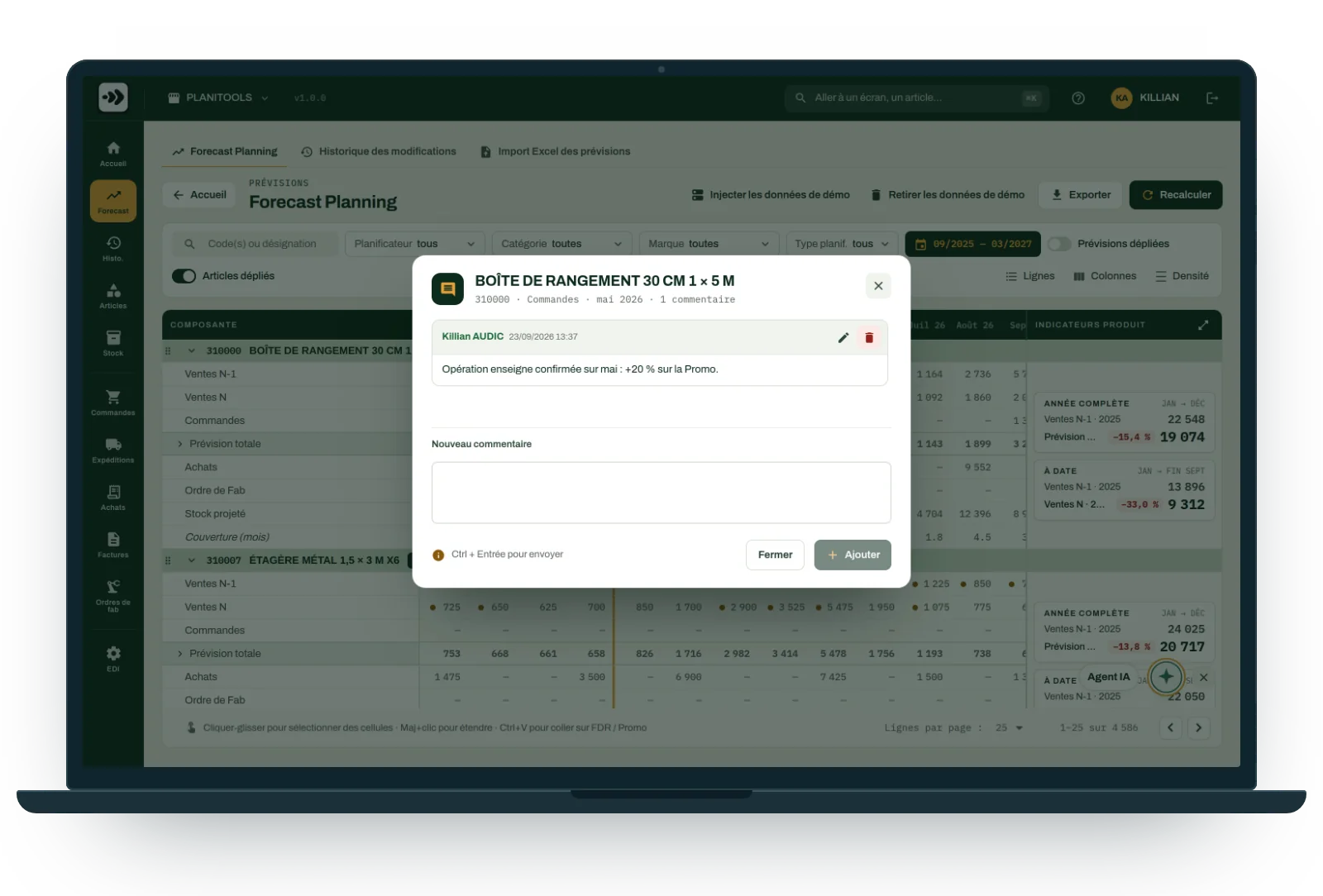
Cell comments
A promotion confirmed, a customer pushing an order back: the comment goes on the cell, with its author and date. A red corner marks it in the grid, and the tooltip shows it on hover.
Change history
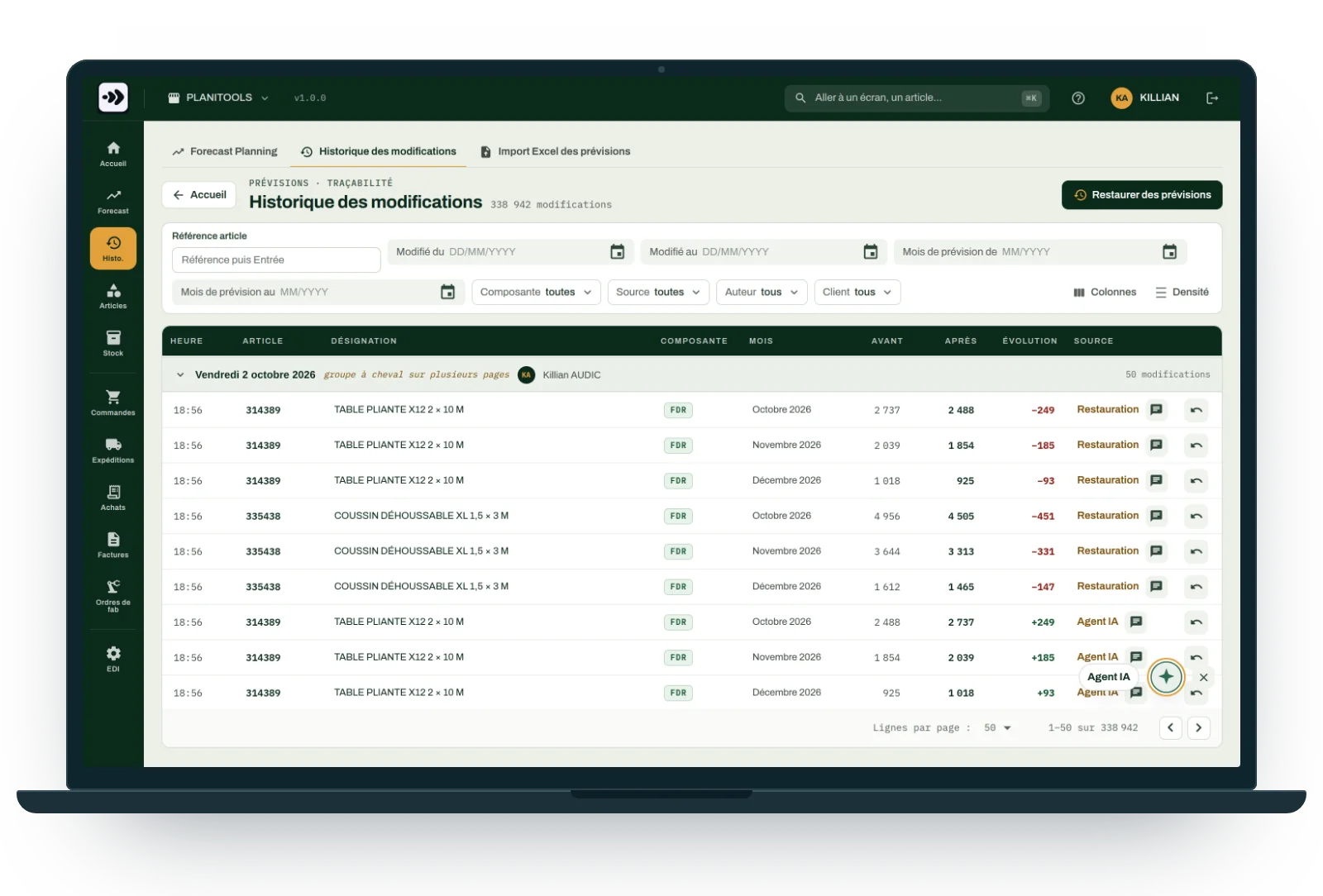
Every change keeps its author, its date, the before and after values, and its source: manual entry, import, AI Agent. A single change or a batch can be undone in one click; the whole forecast can be restored to a given date.
What Planiprev keeps up to date for you
36 months
recalculated every night
2
components: baseline and promotion
14
read tools for the AI Agent
0
untracked changes
Connects to your ERP, or to Excel
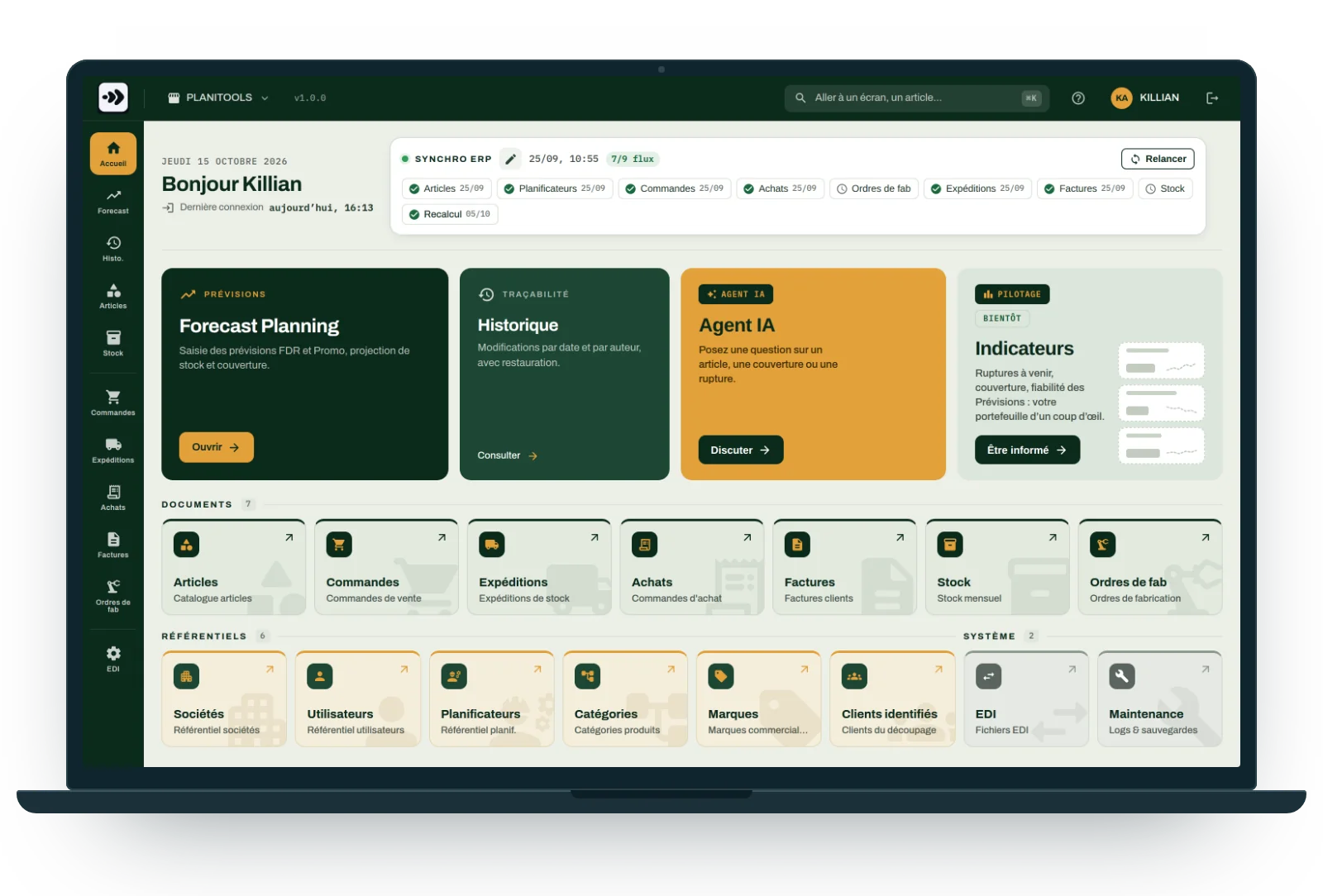
Planiprev talks to the ERP only through a connector: changing ERP changes nothing else. Every night, it reads items, sales, orders, shipments, purchases, manufacturing orders, invoices and stock.
- Odoo: the connector is ready to use.
- Another ERP: we build its connector, through the same entry point.
- The annual budget and bulk revisions are imported from Excel.
- The home screen shows the status of each feed; every exchange leaves an EDI record.
AI Agent
Ask your question, the AI Agent reads the forecast
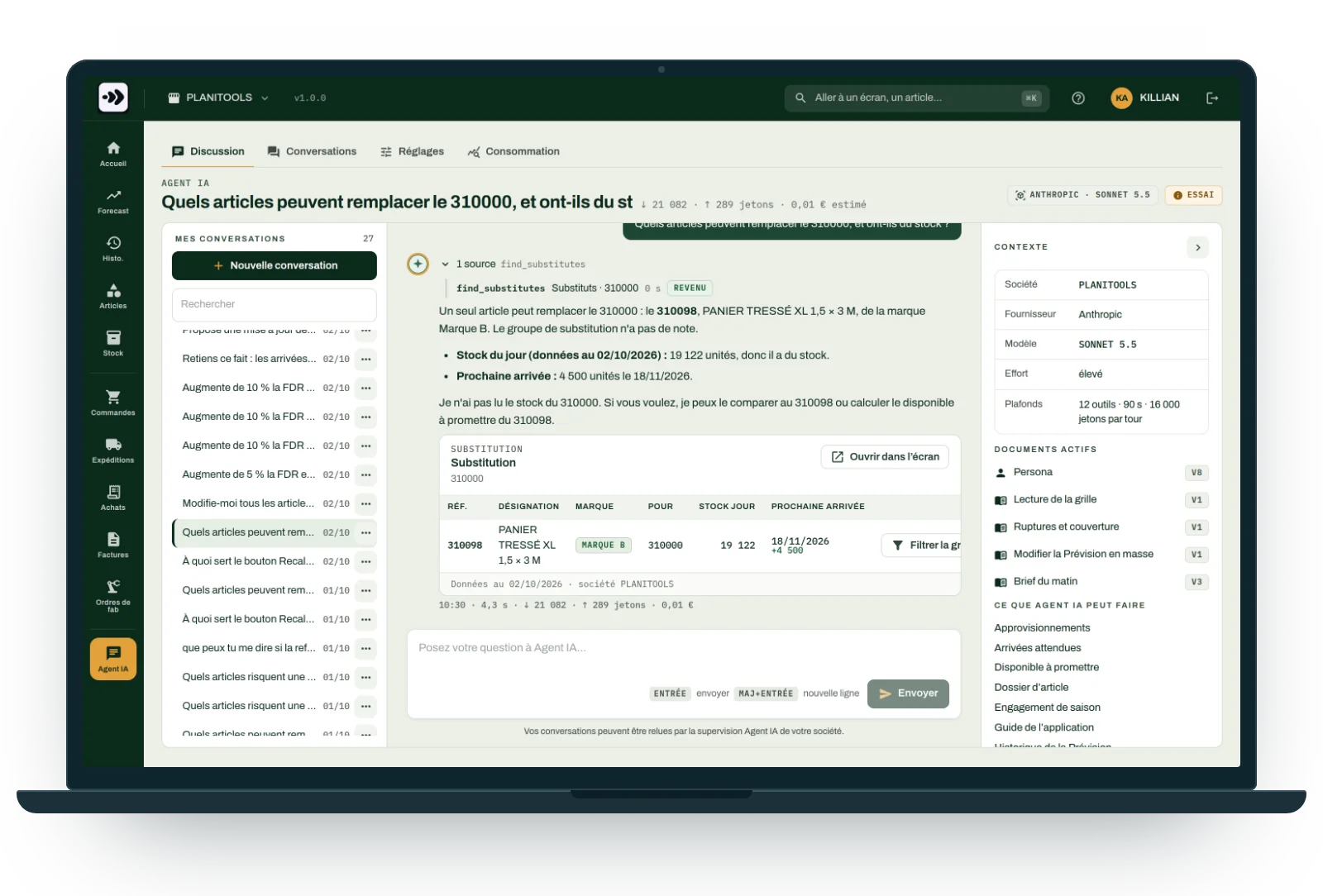
It answers in plain language, with today's figures, and shows its sources: tables and charts that open in the grid with one click.
- Which items are at risk of a stockout within 30, 60 or 90 days?
- What can I promise this customer, and by what date?
- Which receipts are due, and which are late?
- What can replace this item, and is it in stock?
- Where is the overstock? Where do we stand on the season's commitment?
- And how a given button works: it reads the application guide too.
It proposes, you decide
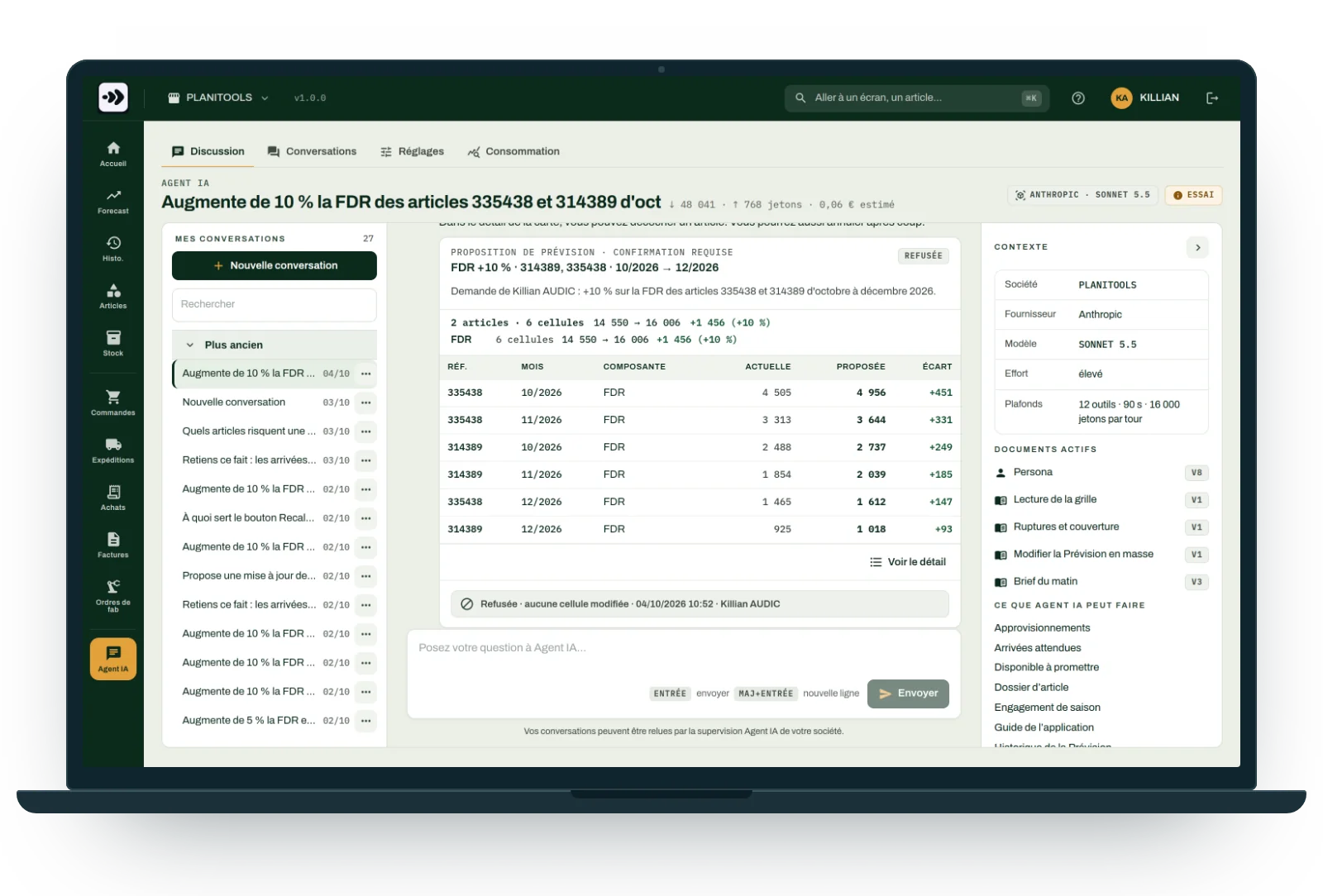
“+10% on the baseline from October to December”
The AI Agent changes nothing itself. It prepares a proposal, cell by cell; you apply it with your own permissions, and the history keeps it, ready to undo in one click.
- A memory of the facts of your business, and of the instructions you write for it.
- A briefing every weekday morning at 7 am, for anyone who subscribes.
- Your own API key, with the provider of your choice: Anthropic, Mistral or OpenAI.
- Limits, a monthly budget, and conversations reviewed by your company's supervisors.
- An MCP server to query it from your own tools.
- An option, offered on a trial basis first.
Your questions
The ones we are asked before every demo.
Planiprev talks to the ERP only through a connector. The Odoo connector is ready; for another ERP, we build its connector, without touching the rest of the application.
It can be imported: next year's budget comes in from a workbook, and the grid exports to Excel at any time. Pasting from Excel also fills baseline or promotion cells.
The history tells you: author, date, before, after, source. A single change or a whole batch can be undone, and the forecast can be restored to a given date.
No, it proposes. You see every cell before and after, you apply the proposal with your own permissions, and it can be undone like any other change.
Each company's data is kept separate. The AI Agent only reads the company of the person asking, using your key with the provider you chose; its conversations remain readable by your company's supervisors. Backups and exports at any time.
As long as it takes to connect your data feeds and import your budget. We scope it together after the demo, depending on your ERP and your number of items.
Yes: you can try Planiprev for free, before any commitment. An illustrated user guide comes with the application, under the Help menu, and the AI Agent reads it to answer your questions about a screen or a button.
One point of contact, from the ERP to the shop floor
Your ERP at the centre, our tools around it: designed at Planitools, on the same items, the same work centres and the same routings. Data flows through the ERP or through Excel. No three suppliers to get to agree.
Planitrack
Actual shop floor times, scanned operation by operation, and drag-and-drop scheduling of manufacturing orders.
Planiprod
MPS, MRP, load and constraints in grids where every column is programmable and explains itself.
Odoo integration
Odoo Learning Partner, v19 certified: we configure the ERP and connect our tools to it.
Demo
Show us your forecasts, and we will show you Planiprev.
Tell us how you forecast today, and what costs you the most: stockouts, overstock, time spent. The demo runs on a grid that looks like yours.
- A demo, by video call or at your site.
- A free trial, backed by the user guide.
- Scoping: your ERP, your data feeds, your budget.
- Go-live, together with you.
- Tailored implementation, once the forecast is running.
Reply within 48 working hours, from the team that builds the tool.
How it works
The data comes in, you adjust, everything recalculates
1
Data comes in every night
Items, sales, orders, shipments, purchases, manufacturing orders and stock, read from your ERP. The annual budget is imported from Excel.
2
You adjust the forecast
Two components per month: baseline and promotion. Typed into the grid, or pasted from Excel.
3
Everything recalculates
Projected stock, cover and stockouts, over a 36-month window, fully recalculated every night.