
Production planning, without wrestling with your Excel file.
Planiprod calculates your MPS and your MRP in grids where every column is programmable and explains itself with a right-click. Stock, sales orders, purchases, manufacturing orders, forecasts: read every morning from your ERP, or from Excel.
Free trial · full user guide · connects to any ERP, or runs on Excel files
File crashed, day ruined?
The Monday morning MPS

The workbook that crawls
Forty tabs, twenty minutes to recalculate, and a crash on exactly the wrong day.

The veteran's formulas
The ones only their author understood. The plan lives in one person's head.

The black-box MRP run
It runs overnight, with no constraints and no explanation. Nobody saw the component shortage coming.

The exports to paste back in
Stock, order book, purchases, manufacturing orders: every morning, ERP exports to copy into the right place.
In two minutes
See Planiprod in action
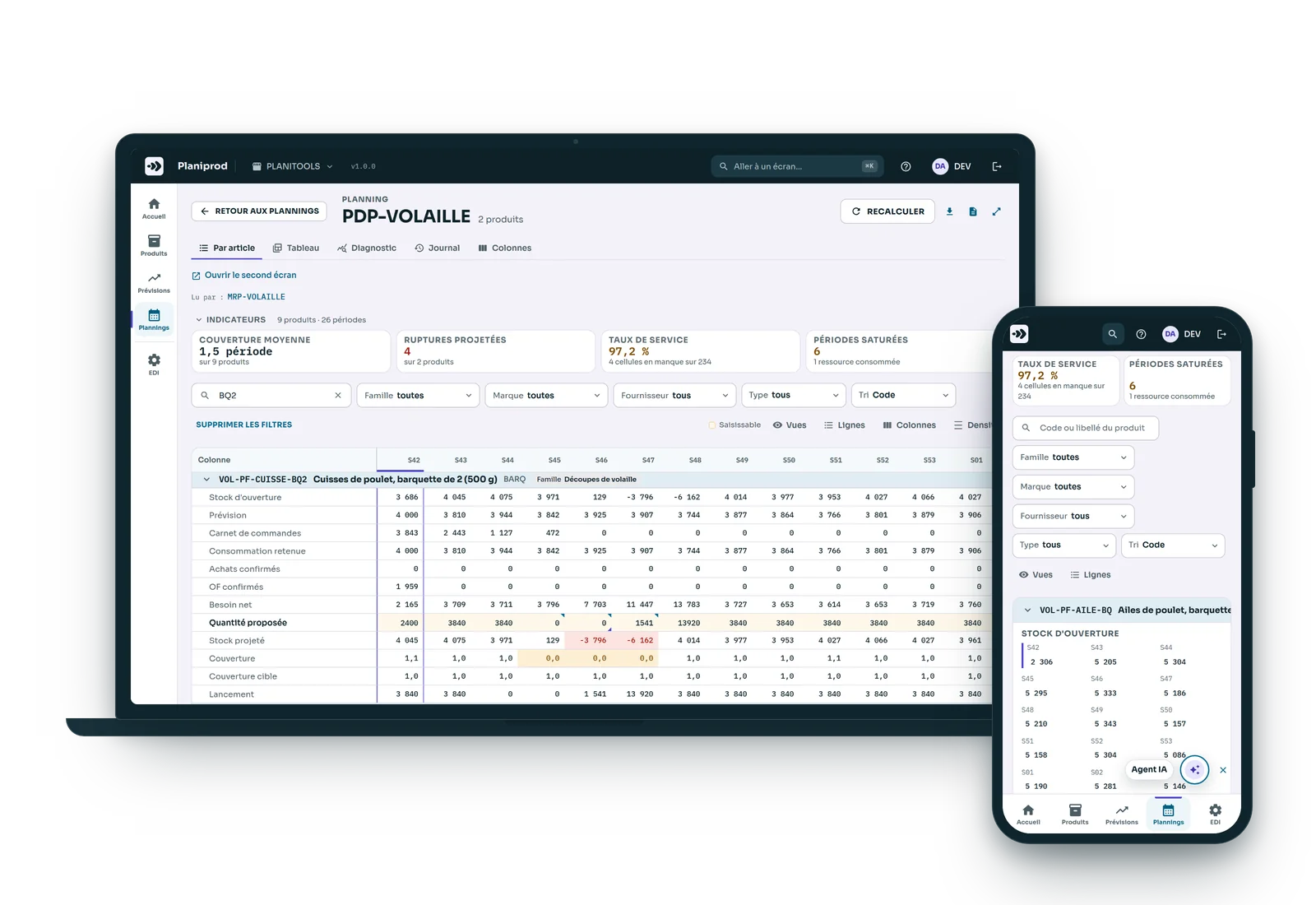
A poultry processing plant, four chicken breeds, two of them premium breeds slaughtered two days a week: the production plan uses 100% of each day's slaughter and holds 1 to 3 days of stock.
The plan
One grid per item, as readable as your Excel file, only better
One row per measure, one column per week: your MPS as you know it, without the workbook.
- 19 standard columns ready to use: forecast, order book, net requirements, projected stock, cover, planned quantity…
- Instant entry, copy and paste from Excel.
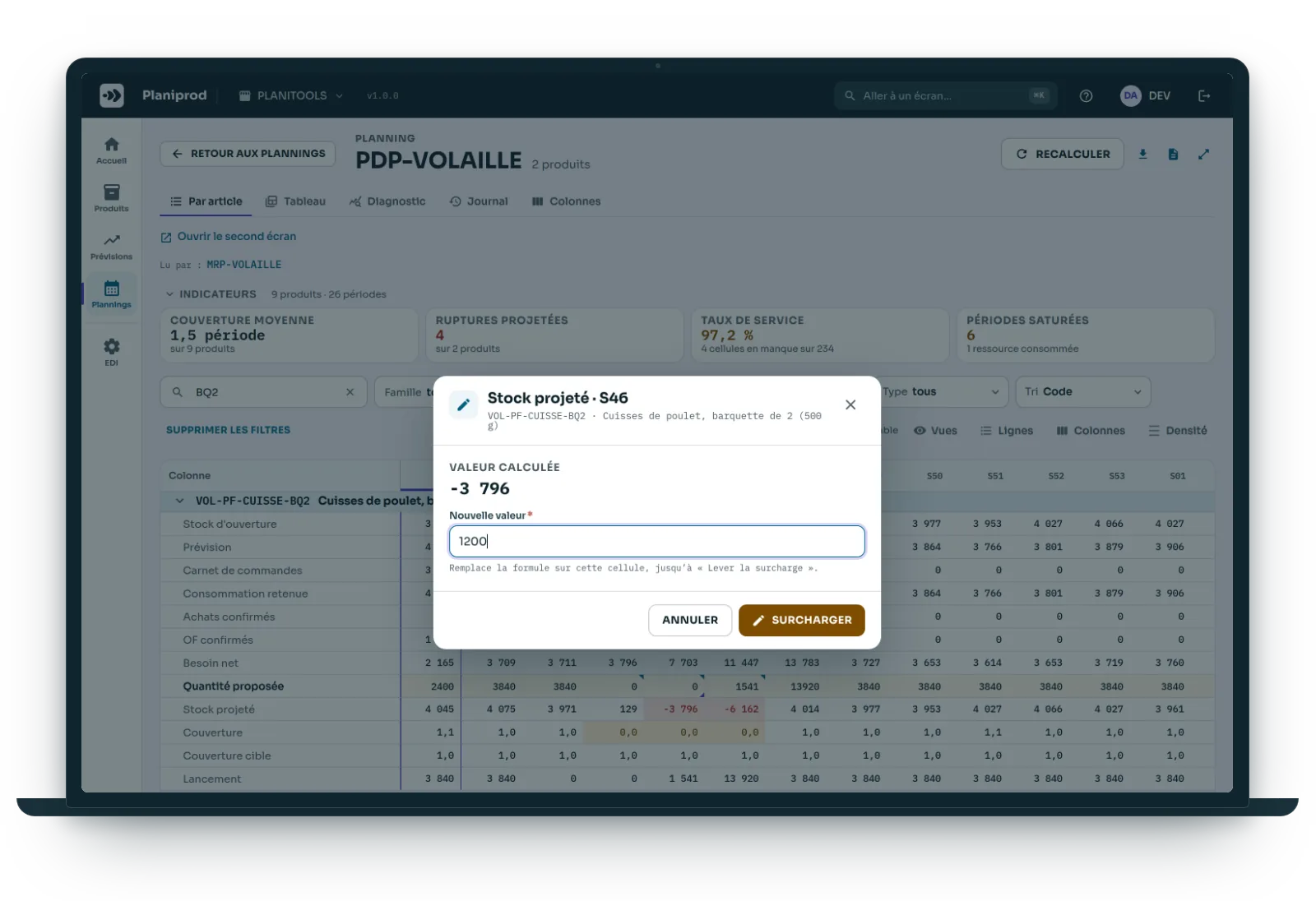
- Override a planned quantity: a mark in the corner of the cell remembers it, and the window tells you which columns will follow.
- Entry log, restore the plan to a given date, comments on each cell.
- Excel export at any time.
Configuration with almost no limits
Your business rule as a formula, tested before it is saved
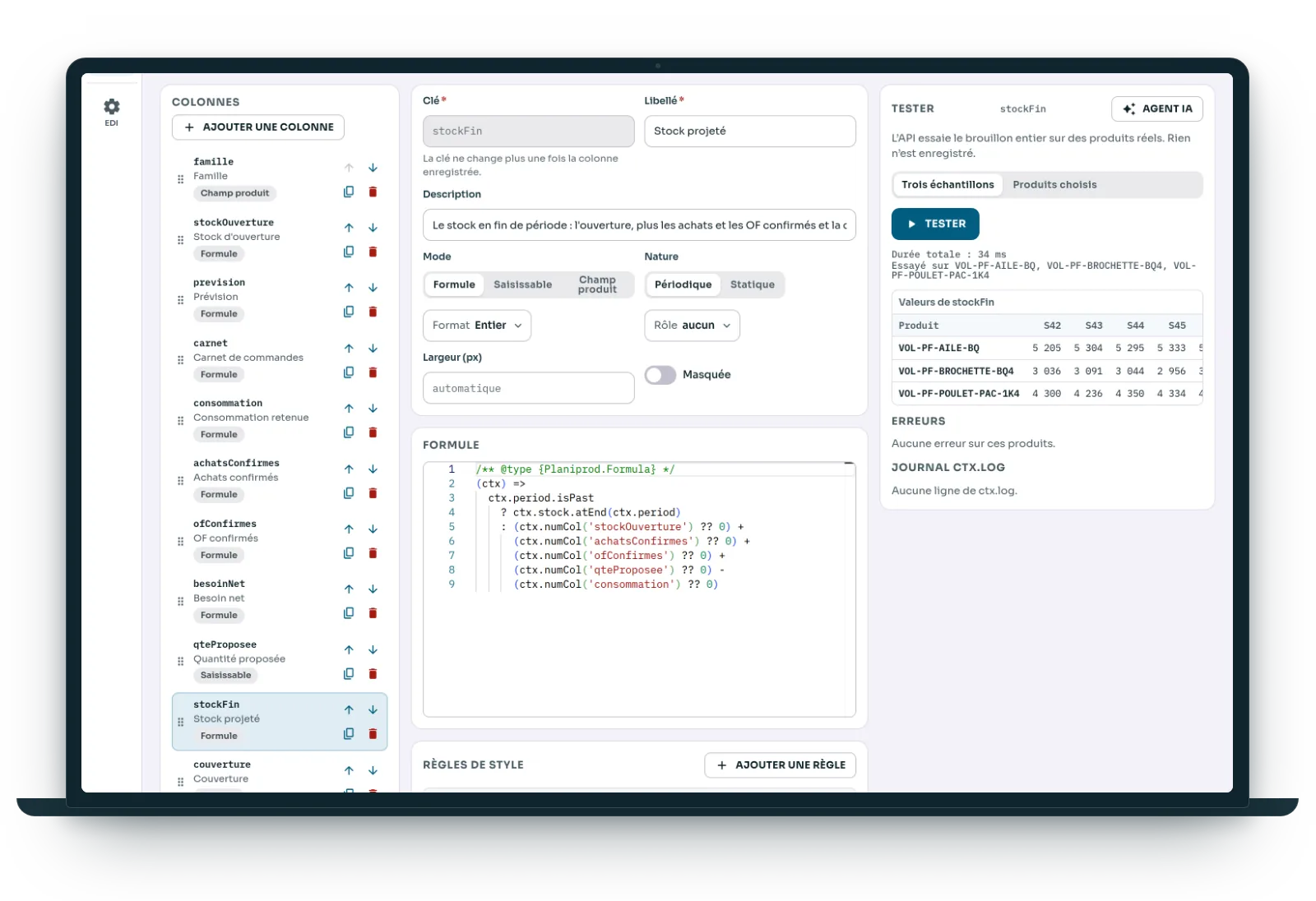
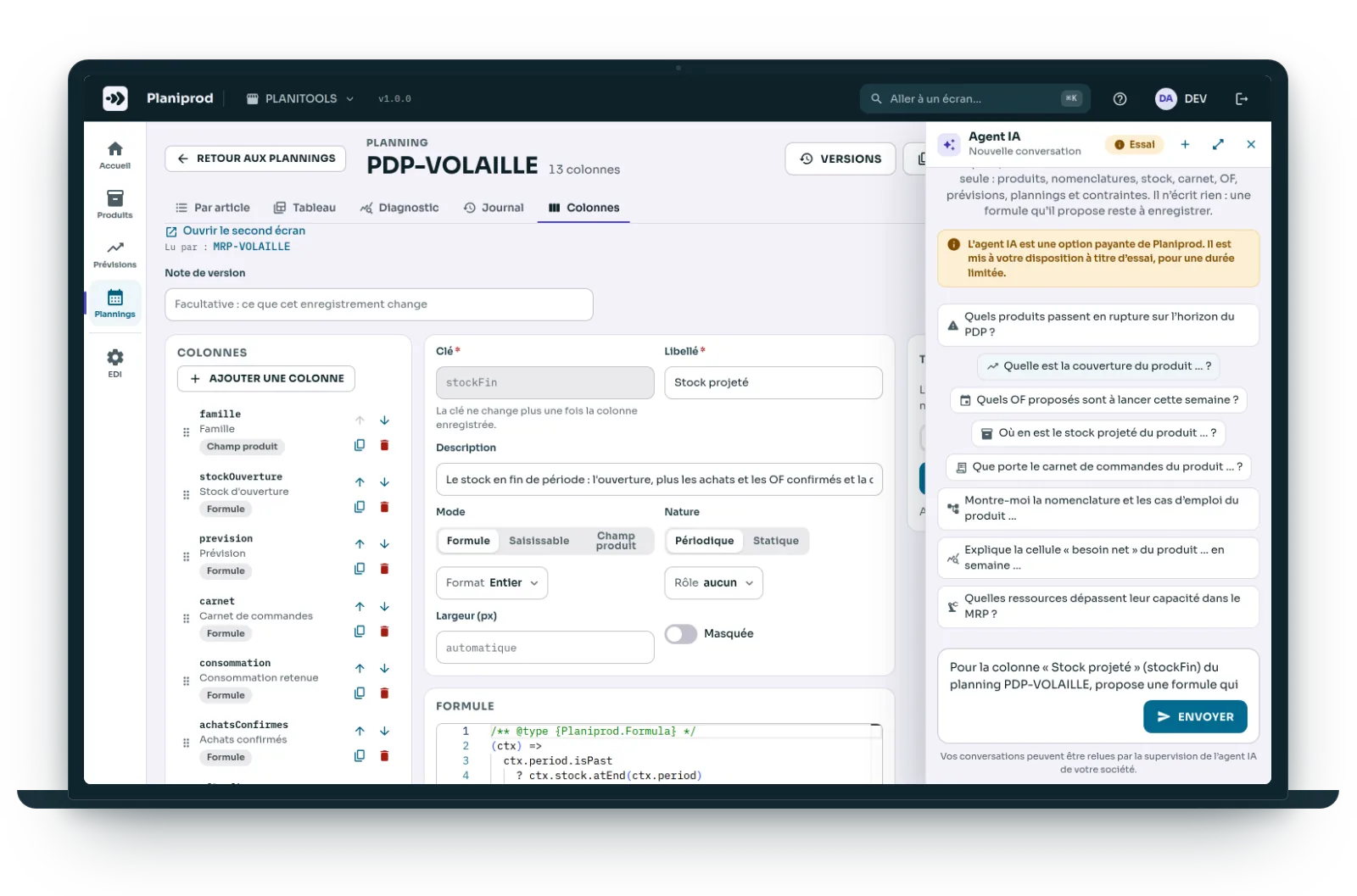
Each column is a short JavaScript formula that reads other columns, the data feeds, the bill of materials, another plan or a resource. Projected stock takes five lines:
ctx.numCol('stockOuverture')
  + ctx.numCol('achatsConfirmes')
  + ctx.numCol('ofConfirmes')
  + ctx.numCol('qteProposee')
  - ctx.numCol('consommation')
- A quick reference next to the editor: columns, data, functions, types, and examples to insert in one click.
- “Test” runs the draft on your real products; nothing is written until you click “Save”.
- Right-click a cell, “Result details”: every value read, with its name and its period.
- Plan variables, versions, a column library; the AI Agent writes a first draft.
Linked plans
From finished product to component, down to the machine
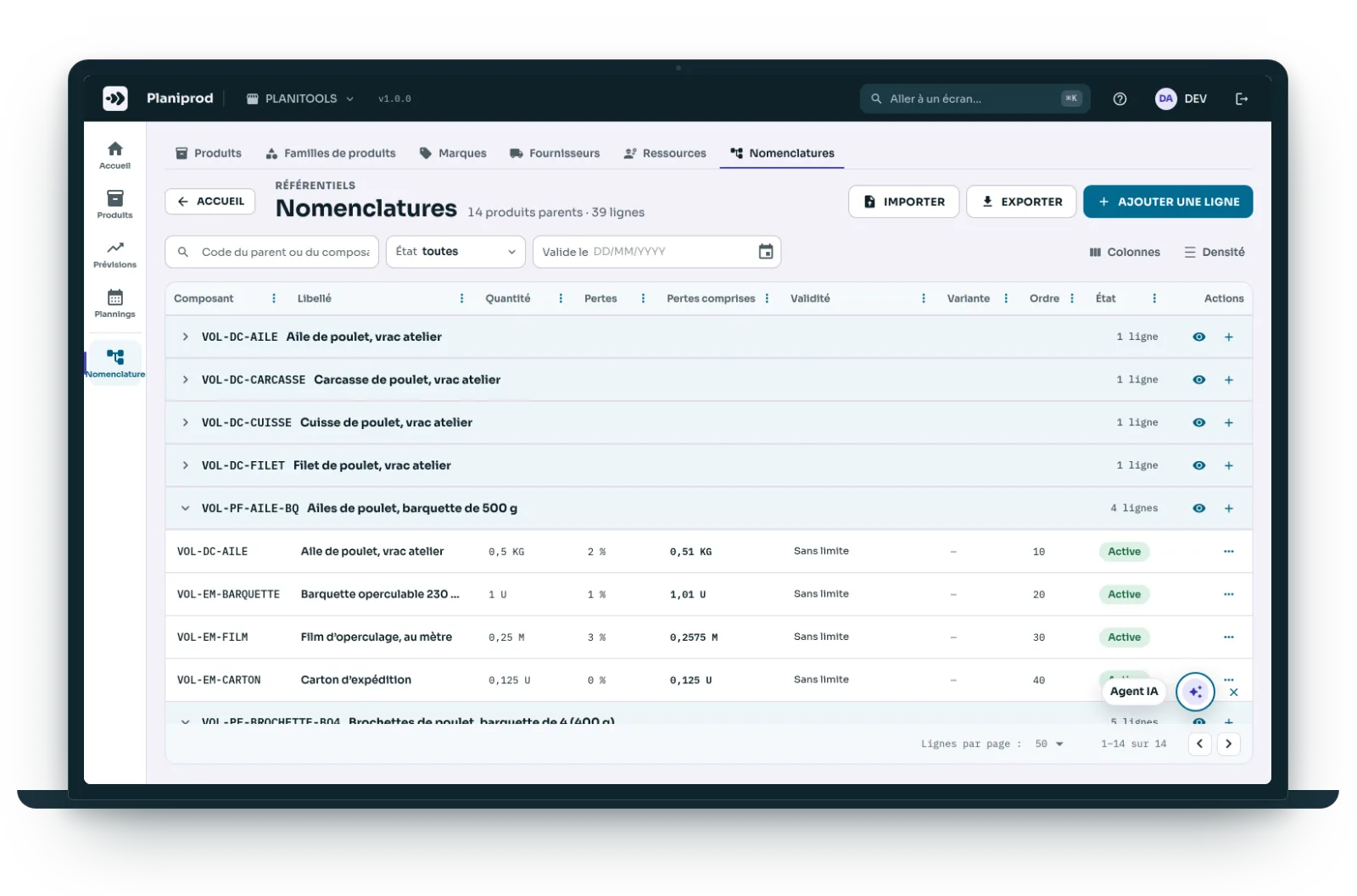
Bills of materials
BOM explosion, where-used, full tree, scrap per component. A BOM that loops back on itself is rejected at import.
Cascading MRP
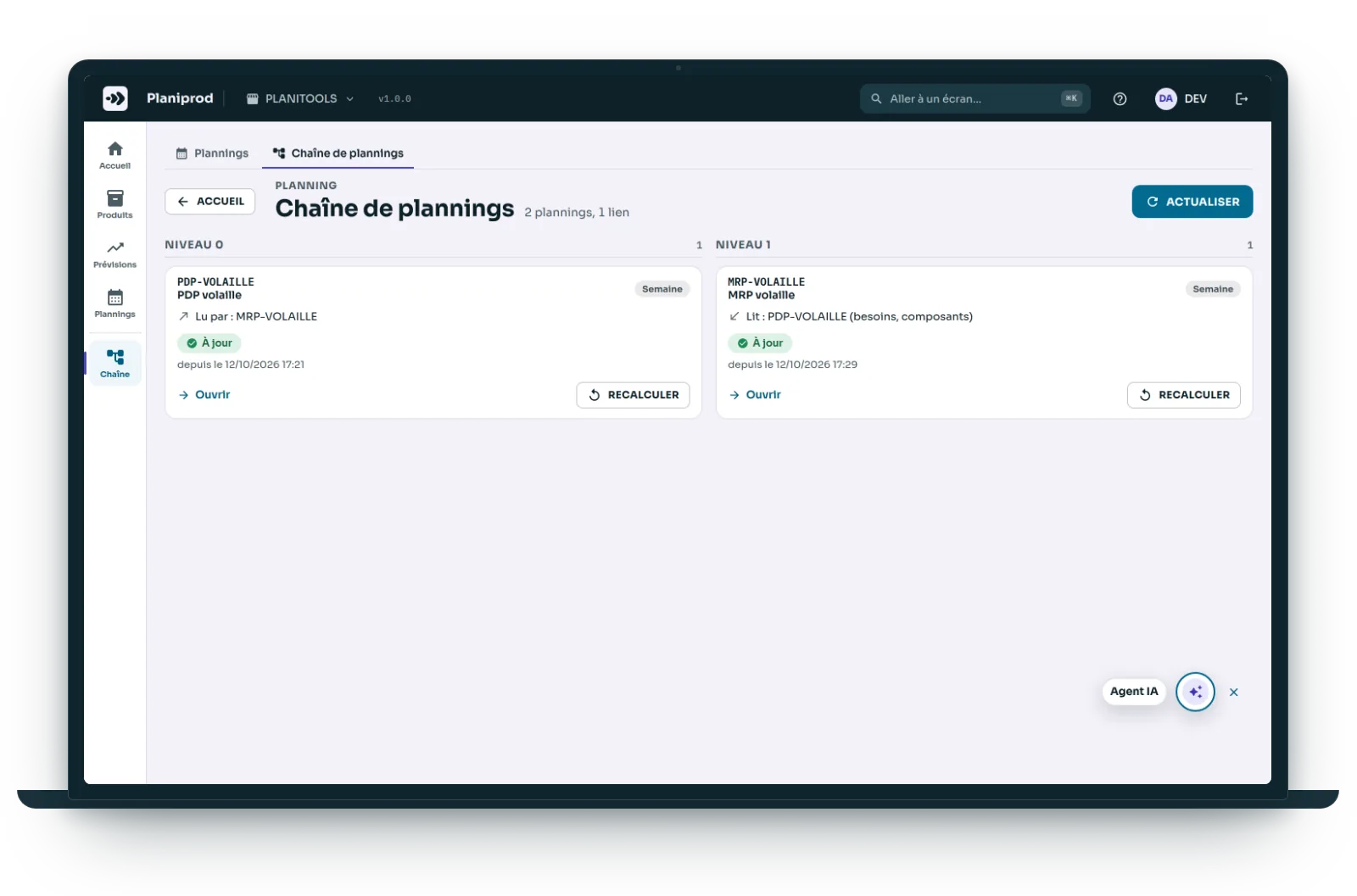
Plans link together: the MPS feeds the MRP, which calculates component requirements through the BOM, offset by lead time. When the MPS changes, the MRP follows, all the way down.
Load and capacity
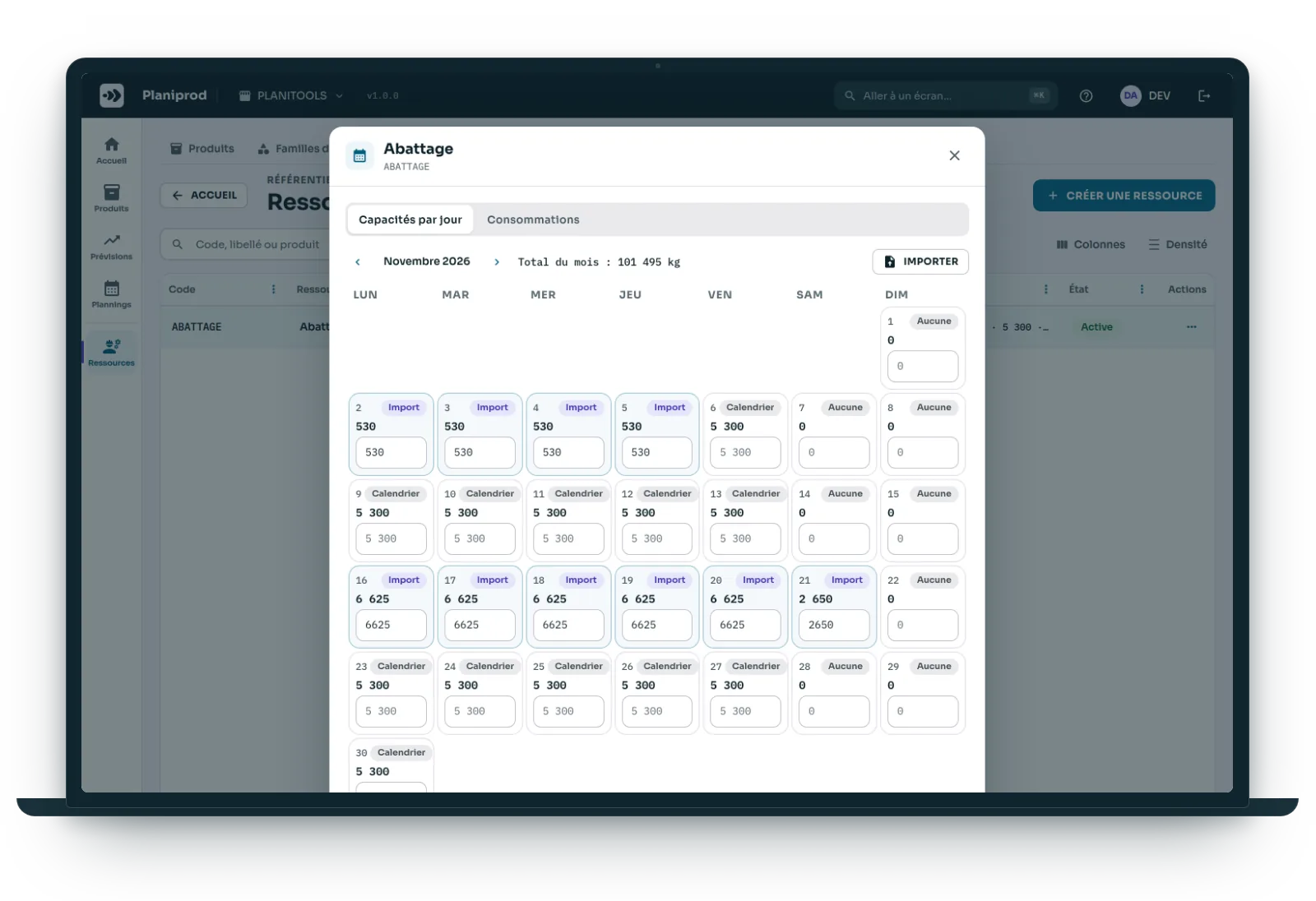
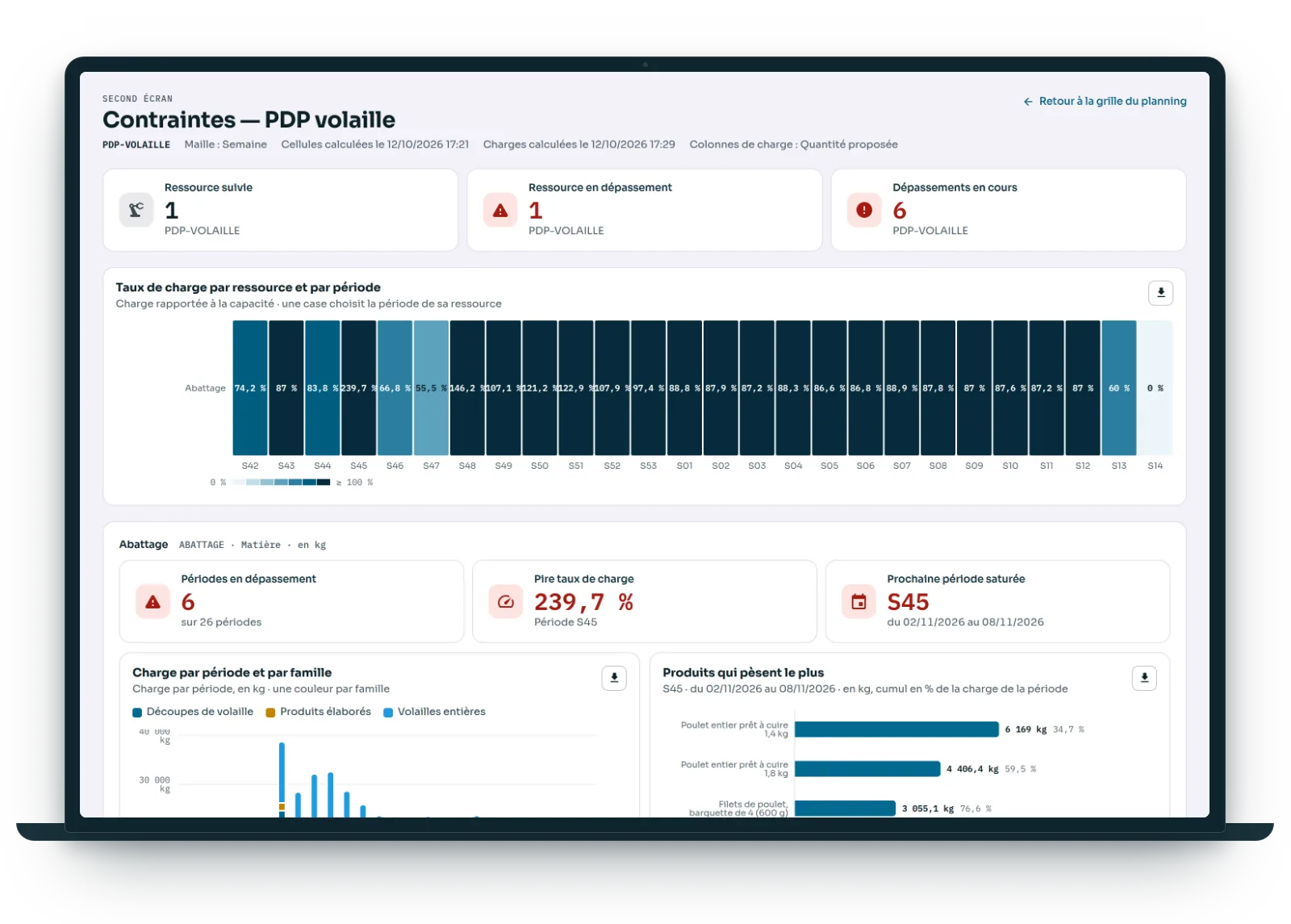
One resource per machine, per material or per whatever limits you, with its own day-by-day calendar. A second screen sets load against available capacity: stacked bars, heat map, alerts.
Constraints
A ceiling or a commitment, checked at any level from day to year, with carry-over from one period to the next and material inputs. A load adds up across all the plans that share it.
Three examples
One constraint, one line
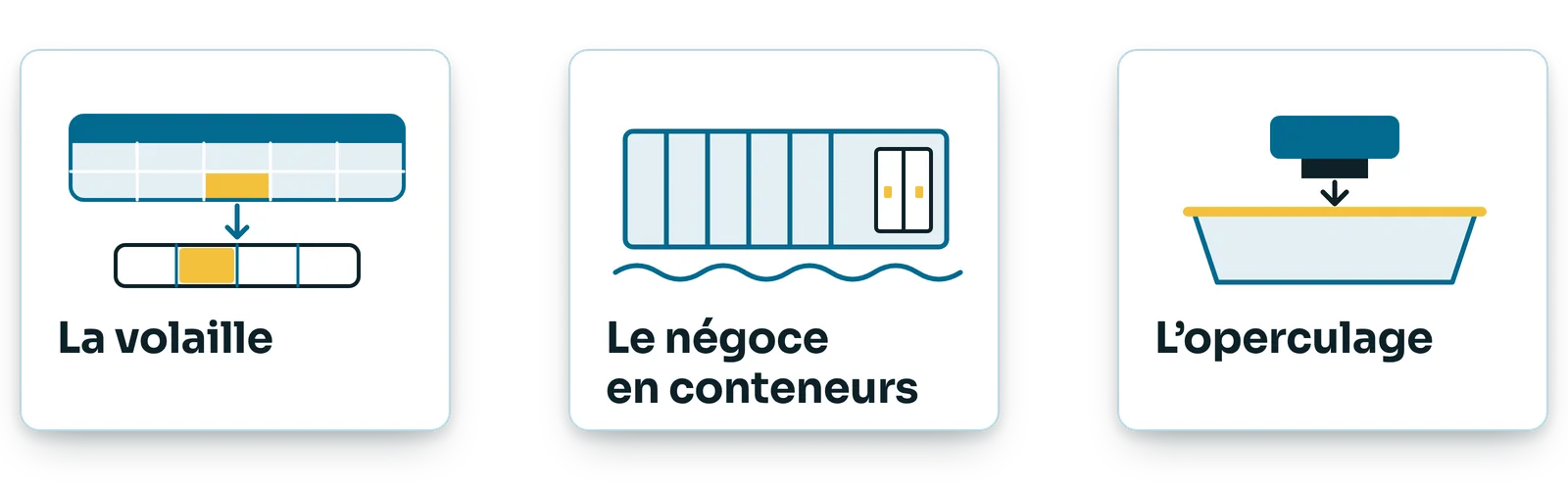
Three cases built in Planiprod to show how far configuration goes. They are examples, not customer references: yours is built from the same building blocks.
Poultry: from slaughter to tray
A slaughter plan, an MPS for finished products and an MRP for packaging, all linked together. Each chicken slaughtered yields breast fillets, wings and legs; each cut is a material with its own carry-over. A maintenance shutdown, and Planiprod shows the week breast fillets will run short.
Container trading
The volume of each item, divided by the volume of a container, becomes a number of containers. A monthly ceiling at the dock, and a commitment of “at least 40 containers a year” with a supplier, summed over two plans.
Tray sealing: one shared machine
Six tray products run on the same sealing machine, 80 hours a week. Each planned quantity adds to its load; a catch-up week that goes over capacity shows up before it is released.
An MRP run that happens overnight? Here, it happens before your eyes.
< 300 ms
to recalculate a product
19
standard columns ready to use
6
data feeds, synced once a day
4
KPIs per plan
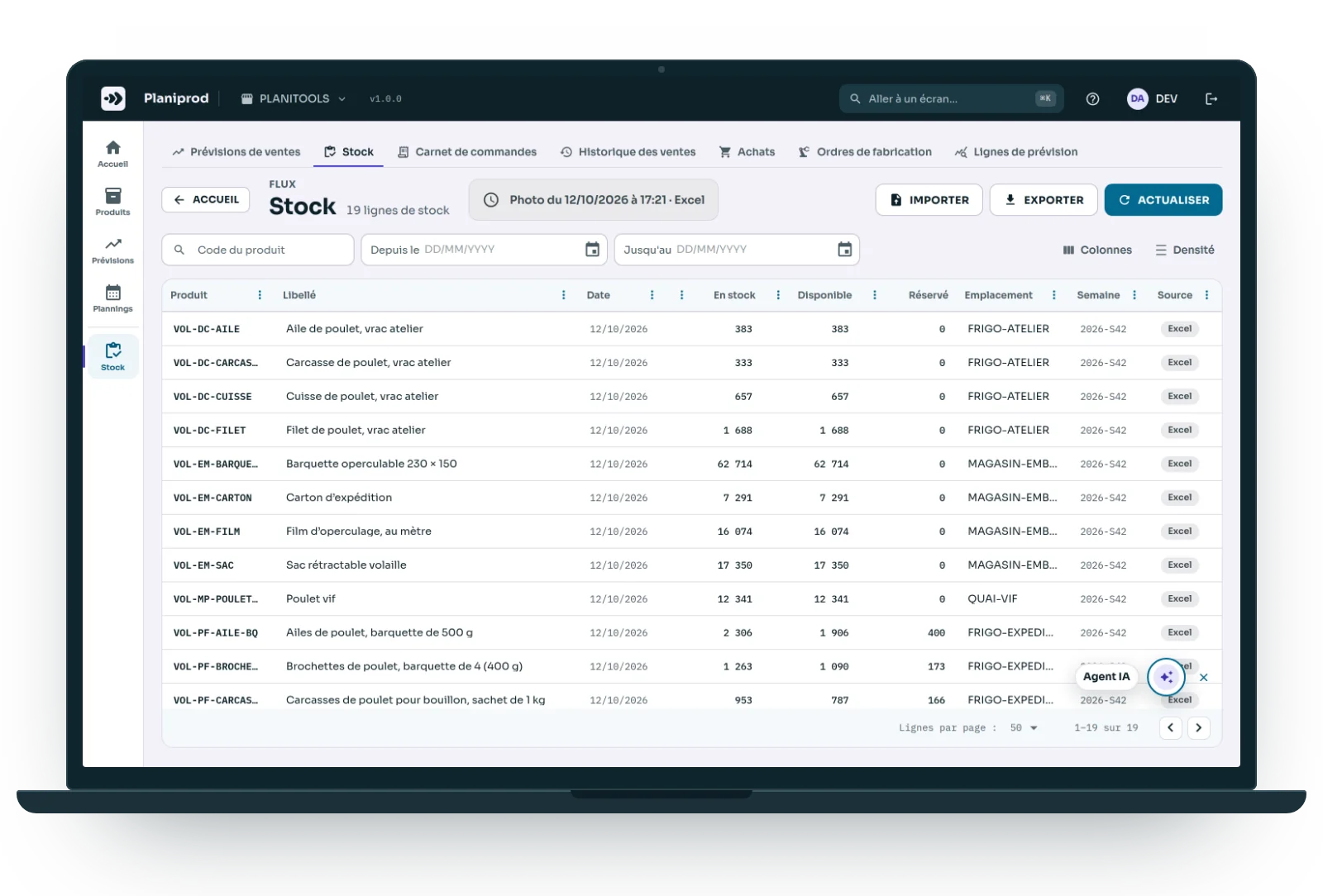
Reads your ERP every morning
Planiprod connects to any ERP: one sync a day, and every exchange leaves an EDI record.
- Odoo: the connector is ready, with eleven read-only imports (product families, suppliers, products, bills of materials, work centres, stock, order book, sales, purchases, manufacturing orders, reordering rules).
- Another ERP: we build its connector, or its Excel exports are enough.
- No ERP: the six data feeds come in through Excel workbooks, templates supplied.
In version 1, Planiprod does not write to the ERP: planned orders are exported to Excel, and the ERP remains the master for manufacturing and purchase orders.
AI Agent
Describe the column, the AI Agent writes it
“Net requirements, but with a minimum lot of 500 and a multiple of 50.” You write it in plain words; the AI Agent writes the formula, you test it, then click “Insert into editor”.
- It also answers questions about your plans: cover, projected shortages, overloaded periods.
- Your own API key, with the provider of your choice, and a budget per company.
- It changes nothing: you are the one who saves.
- An option, offered on a trial basis first.
Not ready for software yet?
Start with the free MRP Excel workbook
You paste your MPS and your bills of materials into Excel, click, and read what to release and when: a real multi-level net requirements calculation. The day the workbook is no longer enough, Planiprod takes over the same items and the same rules.
Budget
Costs less than a planning mistake
Better value than adding headcount. How it works: a demo, a free trial, a scoping phase, a pilot scope we get running with you, then a subscription.
An ERP's MRP module
- Module licence, then per user
- Around fifty days of configuration
- A fixed calculation that nobody can explain
Planiprod
- Hosted, updates included, lower recurring cost
- Your Excel formulas turned into columns, together with you
- Every cell explains itself with a right-click
- Free trial, illustrated user guide
Ballpark figures for illustration only, neither a price list nor a quotation: pricing is worked out on your scope.

Your questions
The ones we are asked before every demo.
Planiprod connects to any ERP. For Odoo, the connector is ready; for another ERP, we build its connector, or its Excel exports are enough. Without an ERP, the six data feeds come in through Excel workbooks, templates supplied.
You see the demo straight away. Then come your data feeds, a “Finished goods MPS” template, and a few weeks for a pilot scope.
Everything can be exported. Your Excel formulas become columns: we convert them with you, and your plan keeps your rules.
Each company's data is kept separate. Formulas run in an isolated sandbox. Entry log, column versions, restore to a given date, backups.
No, it complements it. The ERP remains the master for manufacturing and purchase orders; Planiprod calculates, proposes and explains. In version 1, planned orders are exported to Excel: Planiprod does not write to the ERP.
That is exactly what columns and resources are for. “At least 40 containers a year”, “no more than 12 tonnes a month”: one constraint, one line.
At first, our team and the plan templates. Then your power user, with the quick reference, the examples and the “Test” sandbox; the AI Agent writes the first draft.
Yes: you can try Planiprod for free, before any commitment. An illustrated user guide comes with the application, under the Help menu, and the AI Agent reads it to answer your questions about a screen or a button.
One point of contact, from the ERP to the shop floor
Your ERP at the centre, our tools around it: designed at Planitools, on the same items, the same work centres and the same routings. Data flows through the ERP or through Excel. No three suppliers to get to agree.
Planitrack
Actual shop floor times, scanned operation by operation, and drag-and-drop scheduling of manufacturing orders.
Planiprev
Demand forecasts item by item, projected stock and stockouts, with an AI Agent.
Odoo integration
Odoo Learning Partner, v19 certified: we configure the ERP and connect our tools to it.
Demo
Send us your Excel MPS, and we will show you the same plan in Planiprod.
Tell us how you plan today, and what costs you the most. We come back with a plan that looks like yours.
- A demo, by video call or at your site.
- A free trial, backed by the user guide.
- Scoping: your data feeds, your parameters, your rules.
- A pilot scope, set up with you.
- Tailored implementation, once the pilot has convinced you.
Reply within 48 working hours, from the team that builds the tool.
How it works
Your data, your rules, your plans
1
The six data feeds come in
Stock, order book, sales history, purchases, manufacturing orders and forecasts. Read every morning from your ERP, or from Excel.
2
You set your parameters
Safety stock, cover, lead time, lot size: set once for the company, then refined by product family and by product.
3
The plan calculates
You change a cell and the MRP follows all the way down, with nothing to rerun. A product recalculates in under 300 ms.