Free workbook · by Planitools
Free MRP Excel template: net requirements from your MPS and BOMs, in one click.
Paste your master production schedule and your bills of materials, click “Calculate requirements”: you see what to make, what to buy, and when. A real MRP run, across as many BOM levels as you have, in Excel, with no software to install.
Free · nothing to install · your workbook stays on your computer · Excel for Windows
The problem
Without an MRP run, purchasing is guesswork
A master production schedule, bills of materials five, six or ten levels deep, components shared by several products, stock, lead times: nobody multiplies all of that correctly by hand, every week. That is where shortages are made.

The shortage found the day before
The component is missing on assembly day. The order goes out as a rush, with the extra cost, the express freight and the late delivery to your customer.

The home-made file that can't explode the BOM
It handles finished goods well. As soon as it has to go down to sub-assemblies, then components, the formulas tangle and nobody dares touch them any more.

Requirements recalculated by hand
Every week, an afternoon spent multiplying quantities through the BOMs and netting off stock, with a doubt at the end.

The MRP module out of reach
The one in your ERP needs weeks of set-up and perfect master data. Meanwhile, it stays switched off.
In under a minute
See the workbook in action
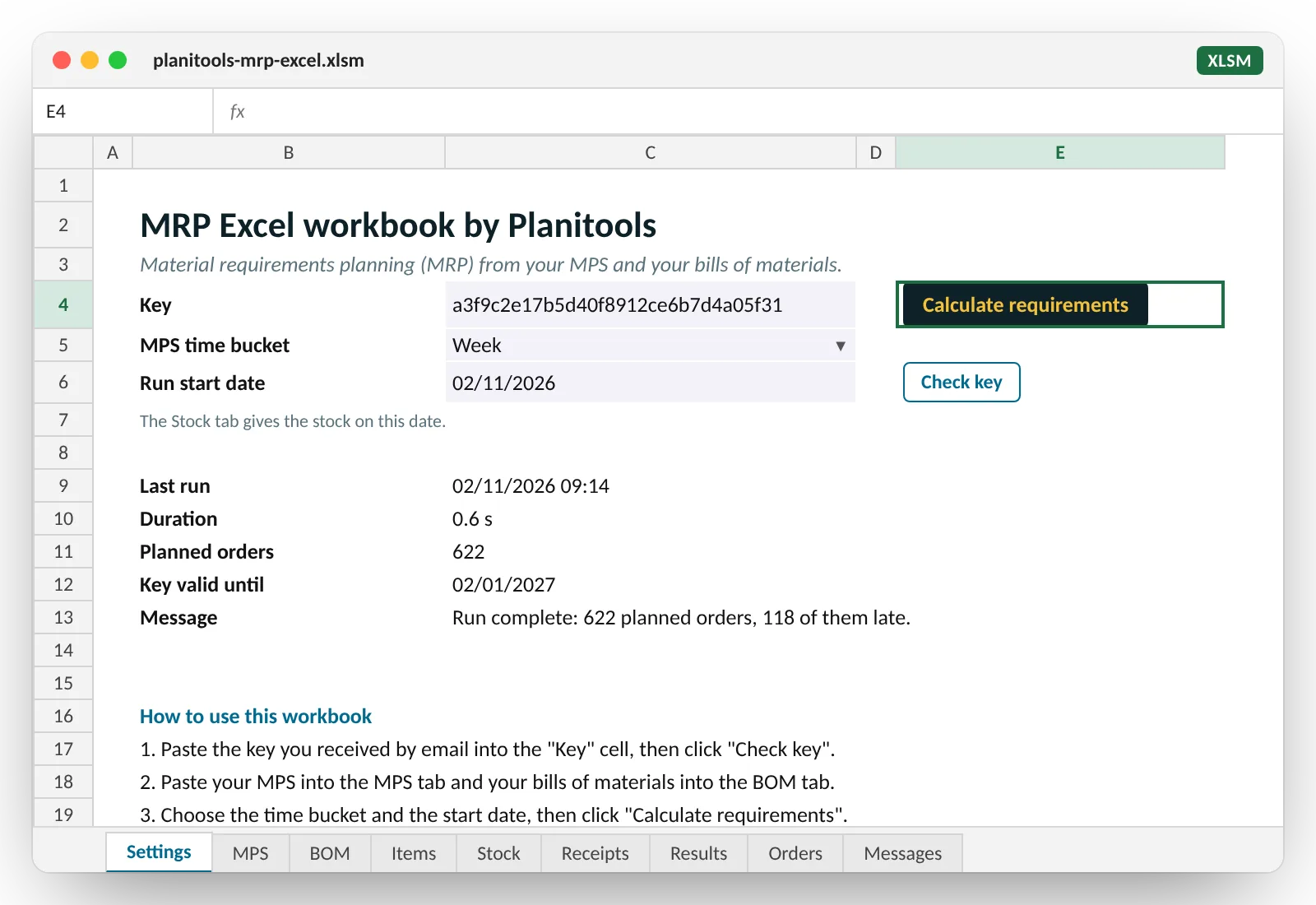
From pasting the key to the list of orders, on the sample data supplied with the workbook: a furniture maker, ten finished products, sixty-seven items, six BOM levels.
What you get
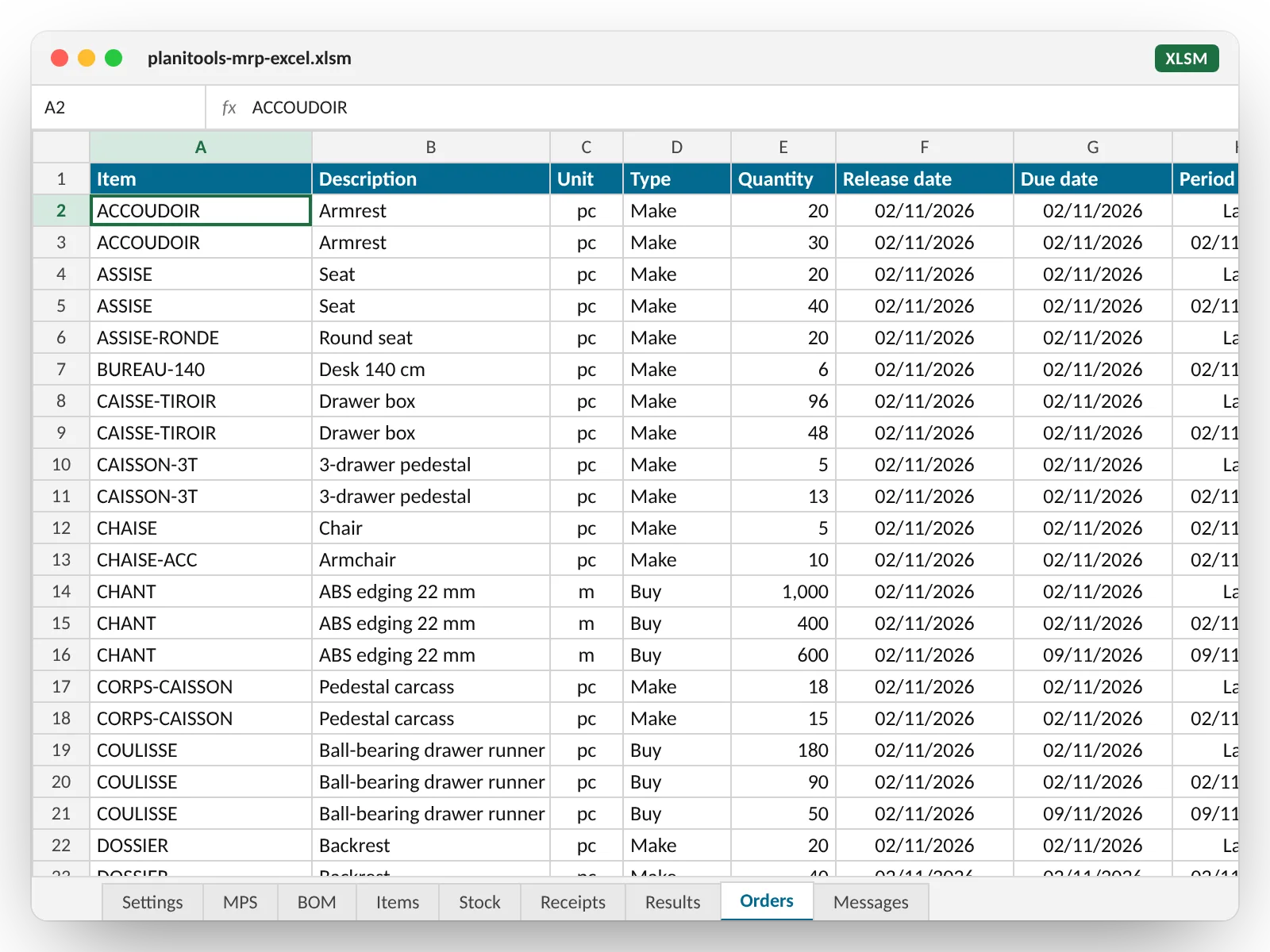
The Orders tab: what to release, and when
This is your list for the week. Each line is a planned order, sorted by release date.
- Make or buy: inferred from your BOMs, or set by you.
- The quantity and its unit (pieces, metres, square metres, litres, kilos), rounded to your lot size: minimum order quantity, order multiple, safety stock.
- The release date: the due date minus your lead time. When the order should have been released yesterday, the line is flagged “Late”.
- The For column shows which product created the requirement: you know why you are releasing it.
The detail
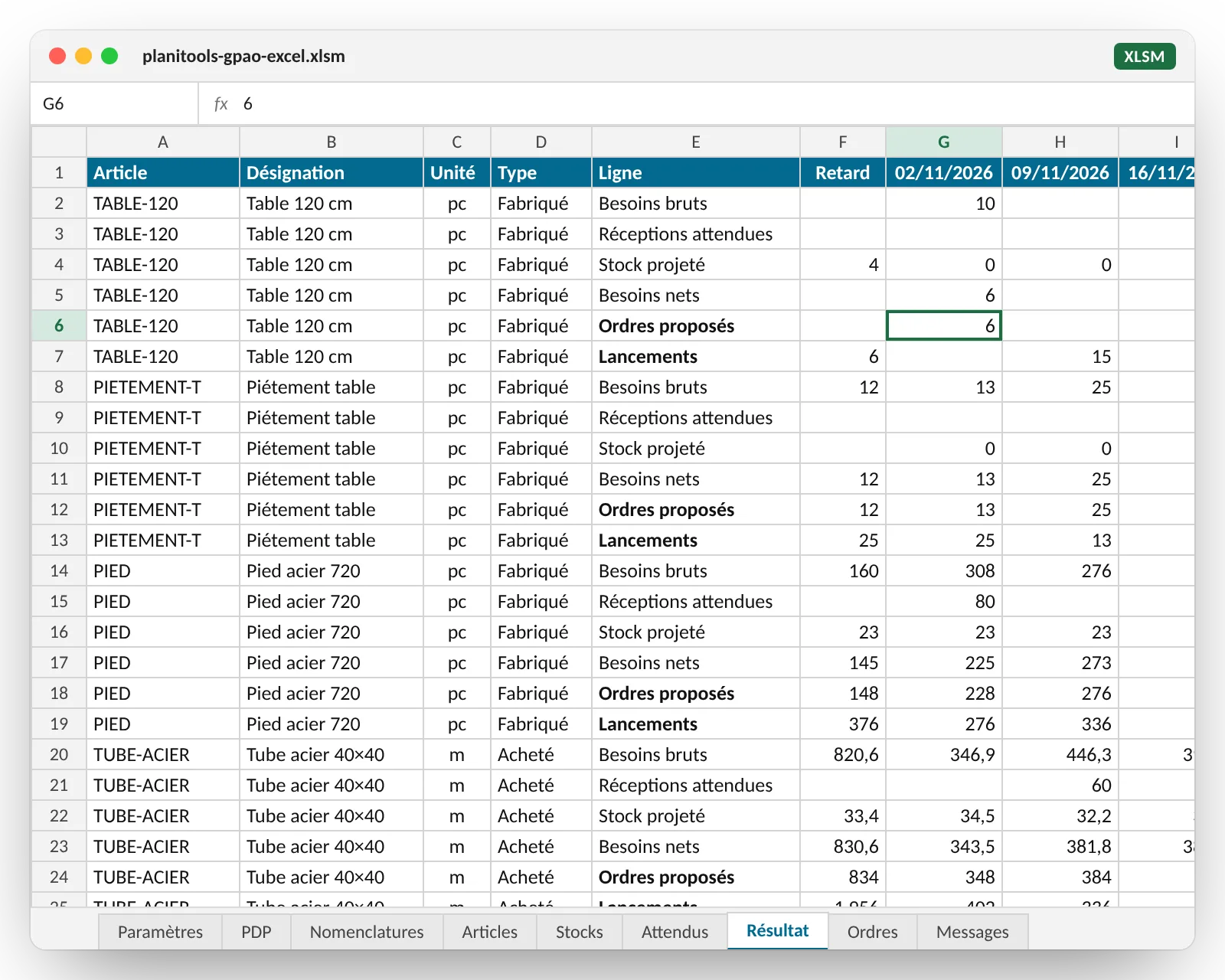
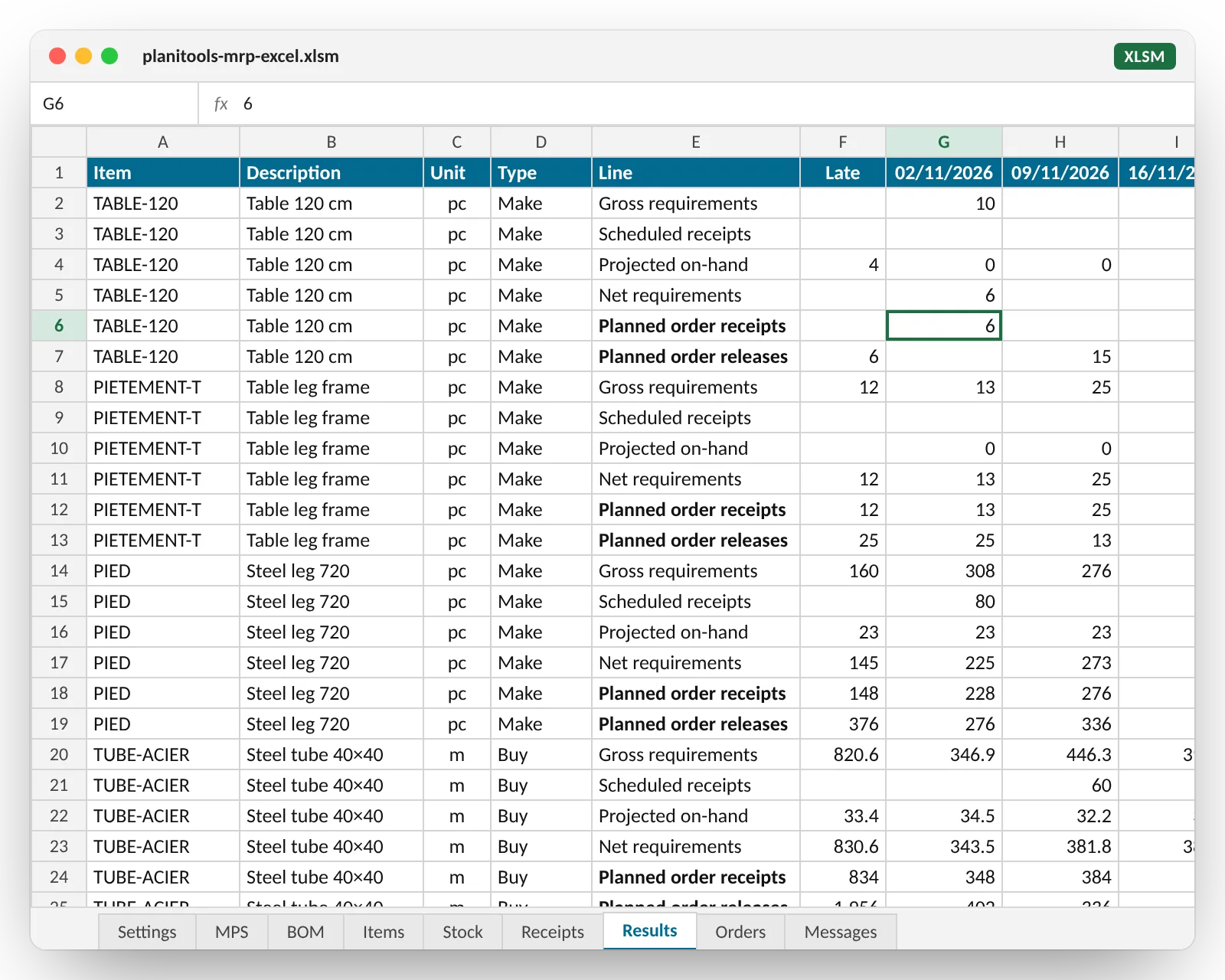
The Results tab: the full MRP record, item by item
Six lines per item, in the columns of your MPS, in the same time buckets: day, week or month.
- Gross requirements: your MPS, plus the dependent demand from the products that contain the item.
- Scheduled receipts: open purchase orders and manufacturing orders already released.
- Projected on-hand, period after period.
- Net requirements: what is missing to hold the safety stock.
- Planned order receipts, dated on receipt.
- Planned order releases, dated on release, lead time offset.
Finished goods first, then sub-assemblies, then parts, then raw materials: the run explodes your BOMs level by level. The table in the sample has six levels; yours can have ten.
Your input data
Two tabs are enough: the MPS and the BOMs
Plain cells, no structured tables, no formulas: copy and paste from any file or ERP export works. Three optional tabs refine the run.
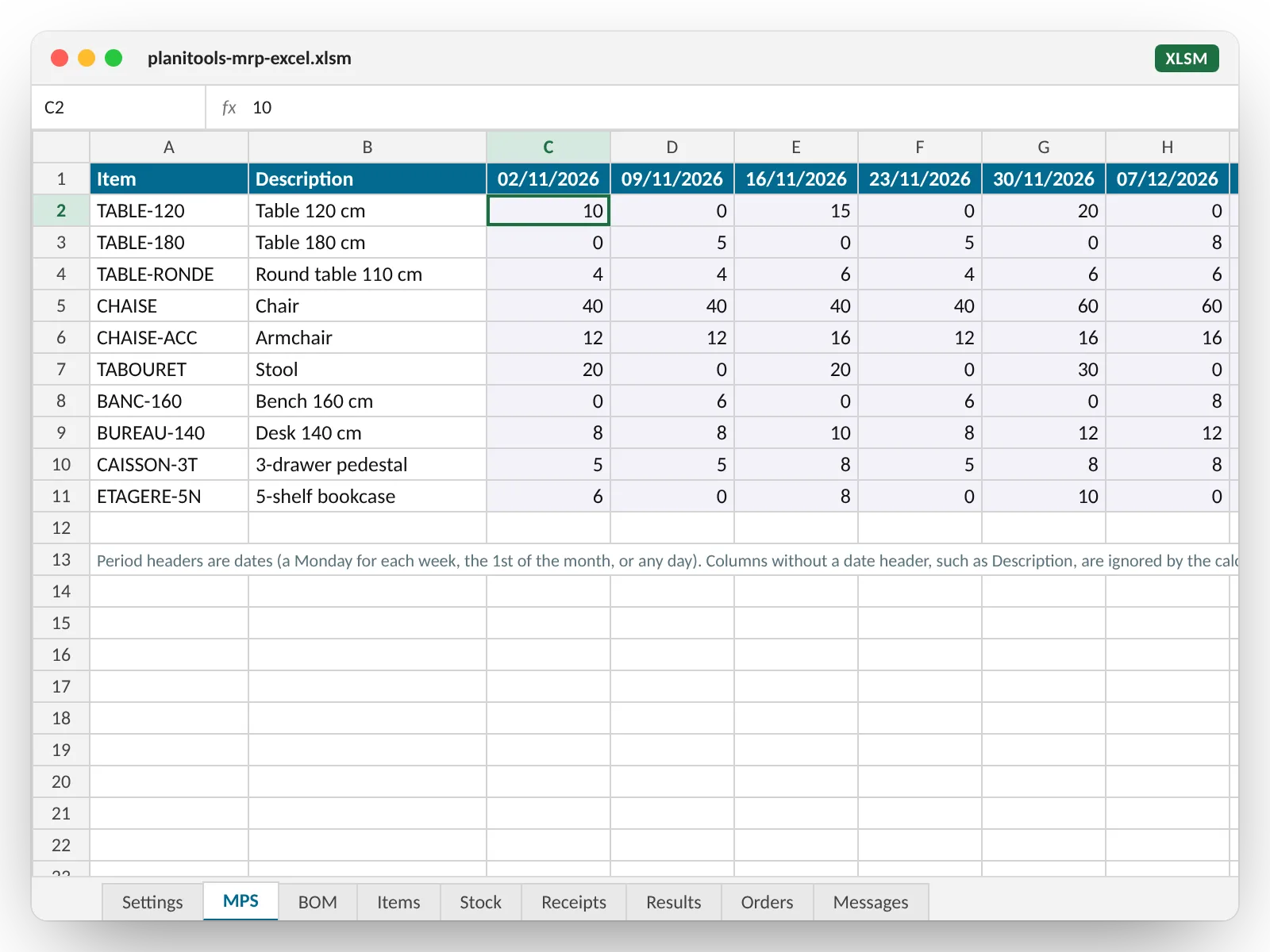
MPS: items in rows, periods in columns
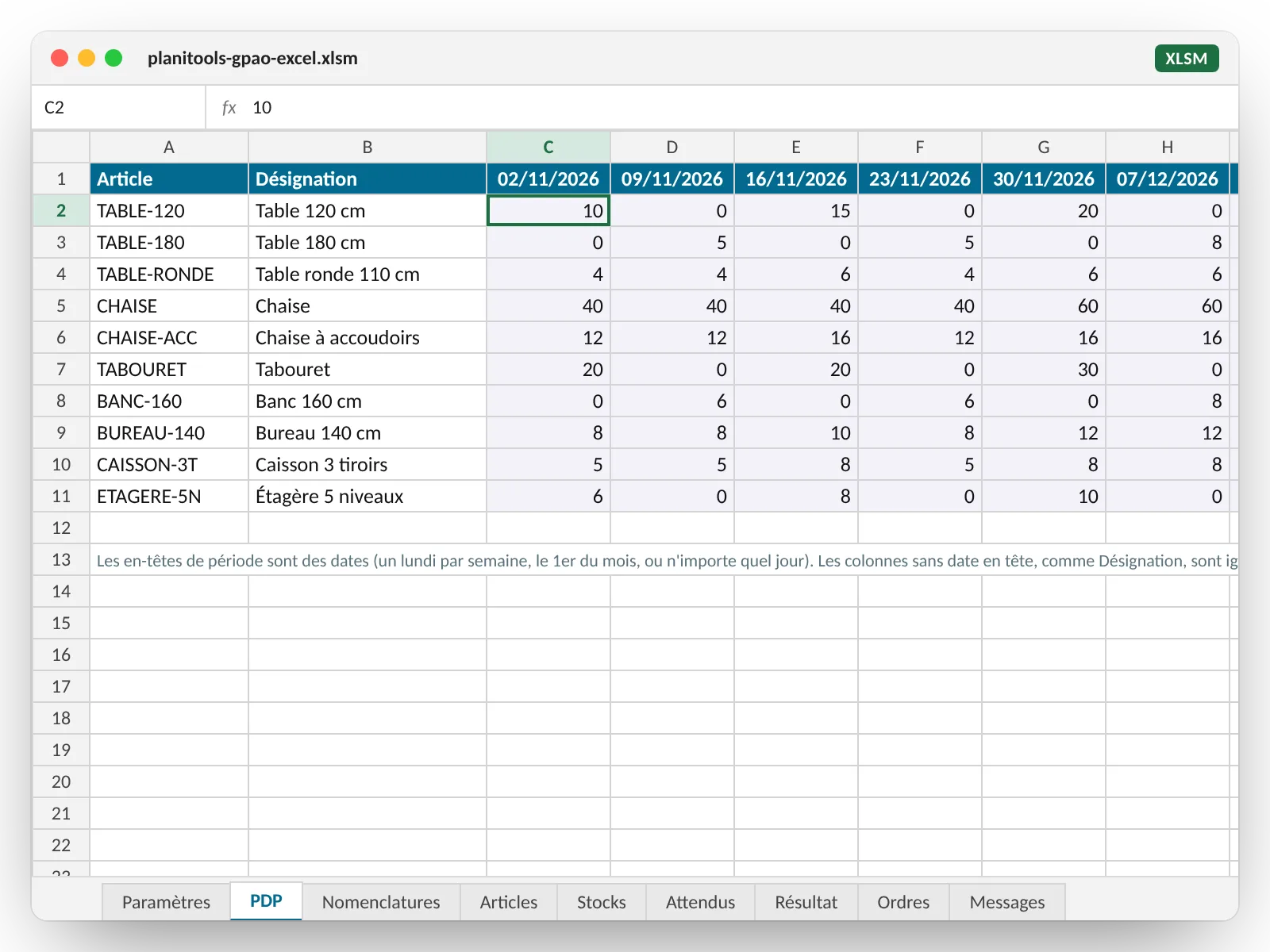
The shape your master production schedule already has. Column headers are dates (a Monday per week, the 1st of the month, or any day); a quantity is due on the first day of its period. Keep your description or product family columns: only dated columns count. Up to 120 periods and 2,000 items.
BOM: one line per link
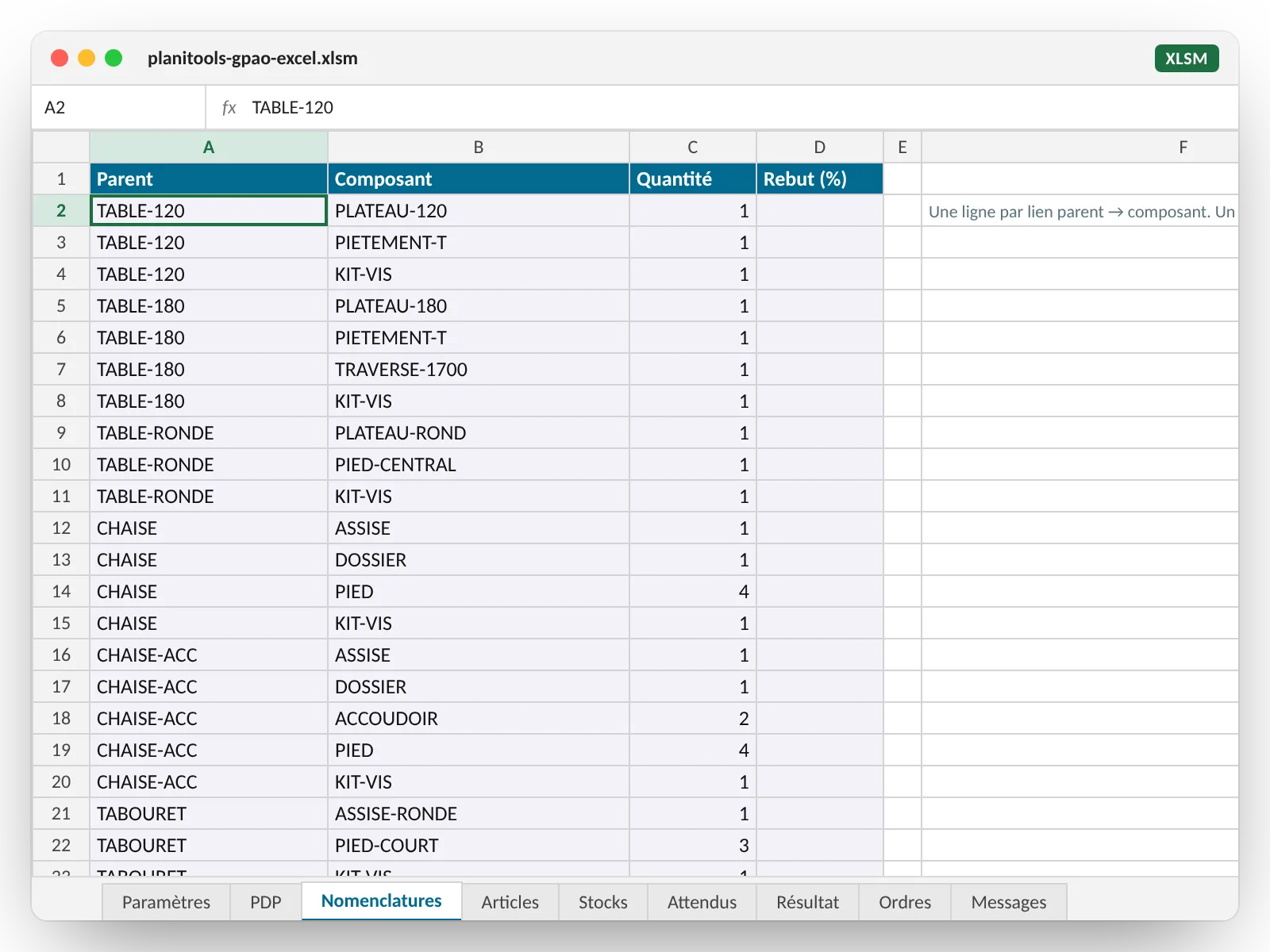
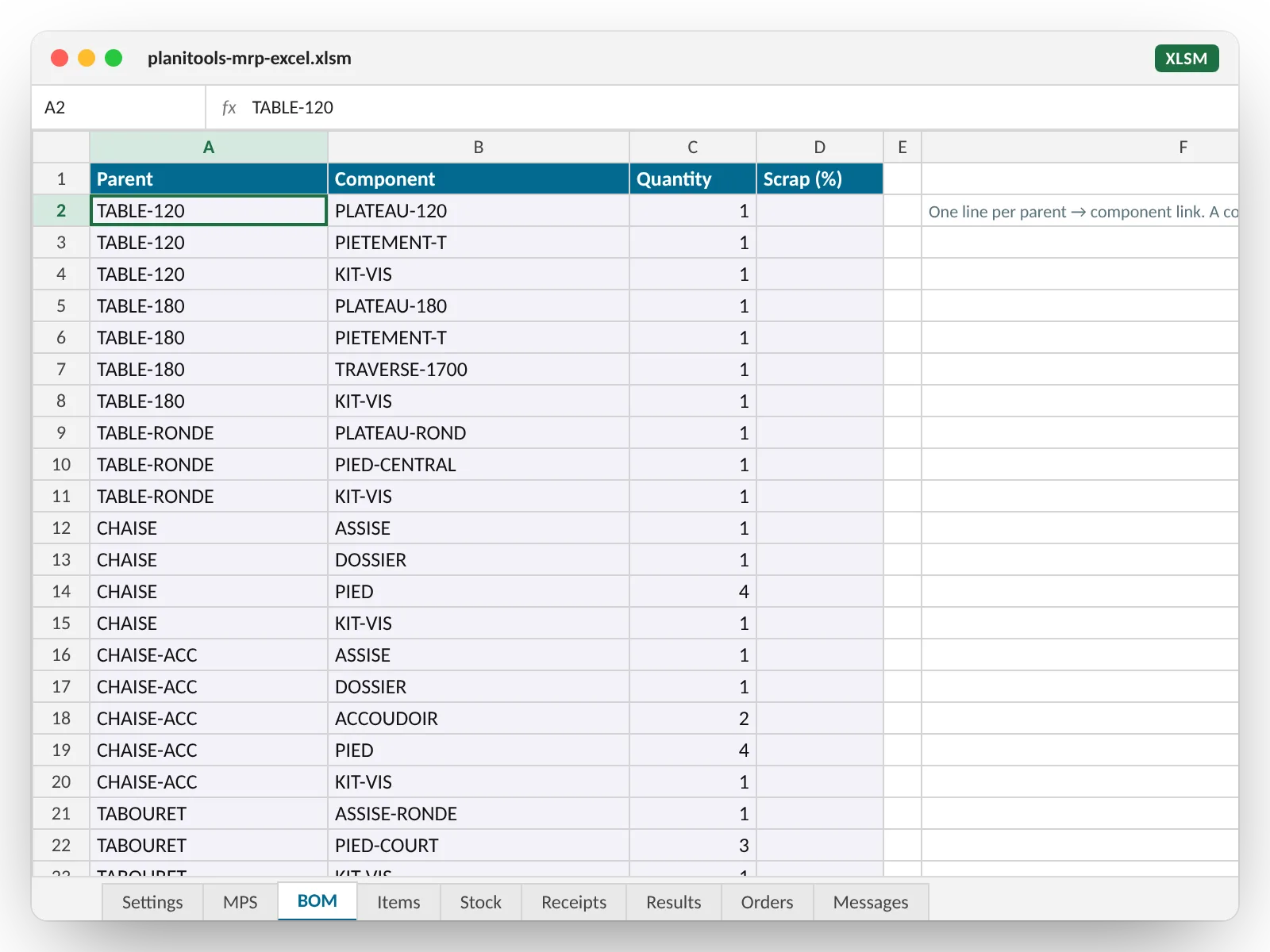
Parent, component, quantity per unit of parent, scrap percentage if you have any. A component that is itself a parent elsewhere adds a level, and so on: six levels in the sample, ten in your plant if that is your case. An item that is never a parent is treated as bought in.
Optional, but valuable
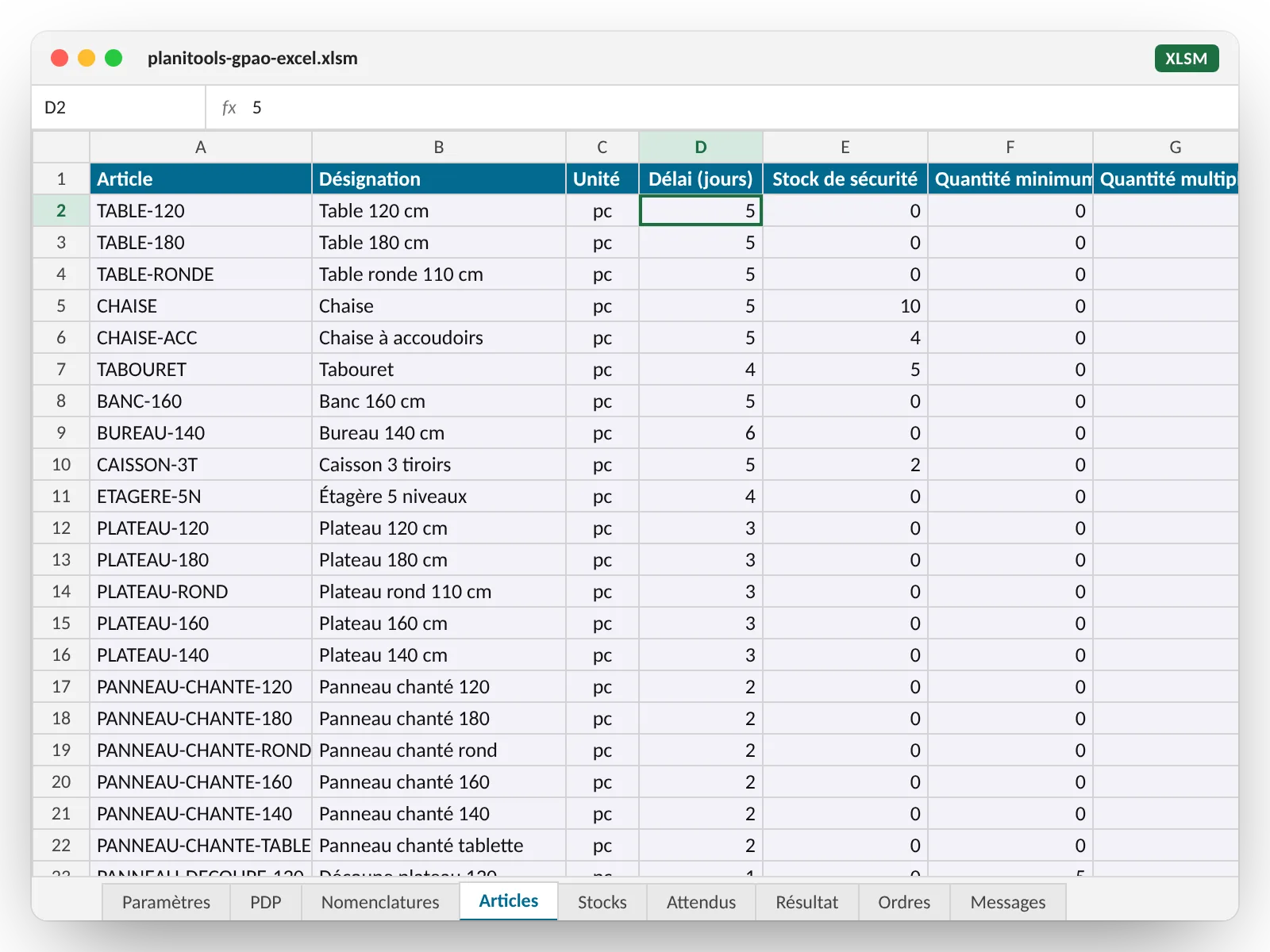
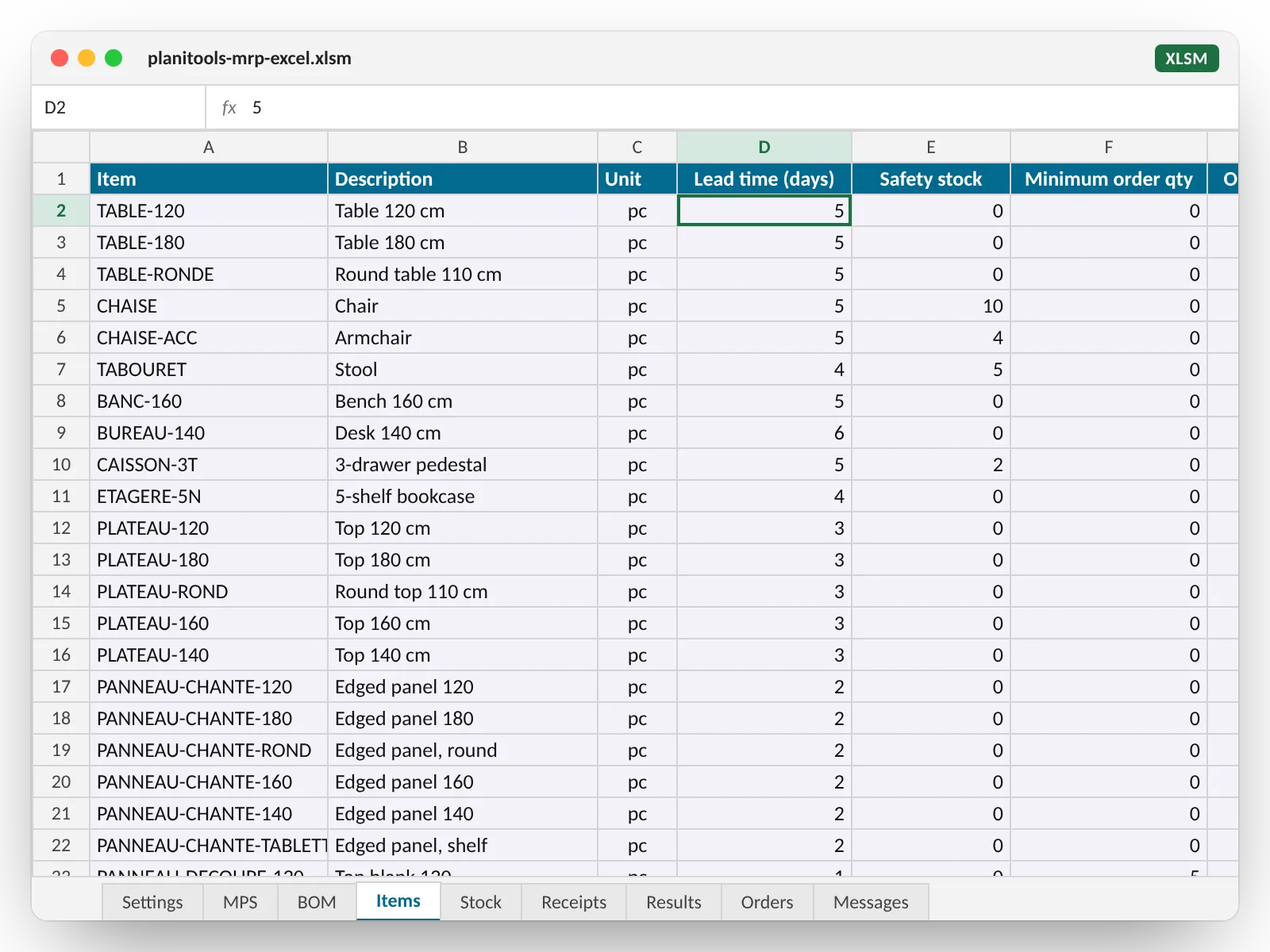
Your item parameters: lead time, safety stock, minimum, multiple, unit
Without the Items tab, the run already works. With it, it plans the way you do.
- Lead time in days: the release date moves back by that much.
- Safety stock: projected on-hand never drops below it.
- Minimum order quantity and order multiple: an order is at least the minimum, rounded up to the multiple; a hundred metres of edge banding, ten panels, one kit.
- Unit: pieces, metres, square metres, litres, kilos, carried into Orders and Results.
- Type: make or buy, if you want to override what the BOMs imply.
Two more optional tabs: Stock (on-hand at the start date) and Receipts (open purchase orders and manufacturing orders already released).
Tab by tab
What the MRP Excel workbook contains
A single file, supplied with a complete sample dataset (a maker of tables, chairs and desks: ten finished products, sixty-seven items, six BOM levels): you click and see a result before entering your own data.
| Tab | Purpose | Columns | Filled in by |
|---|---|---|---|
| Settings | Your key, the MPS time bucket (day, week, month), the start date, the two buttons and the status of the last run. | Key · Time bucket · Start date | You |
| MPS | The master production schedule: what you want to deliver, per period. Columns without a date header (description, family…) are ignored. | Item, then one column per period (dates) | You |
| BOM | The parent → component links, across as many levels as needed. | Parent · Component · Quantity · Scrap (%) | You |
| Items optional | The parameters per item. A missing item gets: lead time 0, safety stock 0, minimum 0, multiple 1, unit piece, type inferred from the BOMs. | Item · Description · Unit · Lead time (days) · Safety stock · Minimum quantity · Order multiple · Type | You |
| Stock optional | The stock on hand at the start date. Several lines for the same item are added up. | Item · Stock | You |
| Receipts optional | The scheduled receipts already committed: open purchase orders, released manufacturing orders. | Item · Date · Quantity · Reference | You |
| Results | The MRP record per item and per period: six lines per item, in the columns of your MPS. | Item · Description · Unit · Type · Line · Late · your periods | The run |
| Orders | The planned orders, sorted by release date: your action list. | Item · Description · Unit · Type · Quantity · Release date · Due date · Period · Late · For | The run |
| Messages | What was rejected (an error stops the run) or corrected (a warning does not), with the tab and line concerned. | Level · Tab · Line · Message | The run |
The calculation rules, no black box
- Finished goods first, then each BOM level in turn, down to raw materials.
- Per period: projected on-hand = previous on-hand + scheduled receipts − gross requirements; if it falls below safety stock, a net requirement appears.
- One planned order per period and per item, at least the minimum quantity, rounded up to the multiple.
- Release date = due date − lead time; before the start date, the order is flagged as late.
- Each order for a manufactured item creates the requirements of its components, scrap included, on its release date.
What version 1 does not do
- No factory calendar: lead times are in calendar days.
- No load or capacity: the workbook says what to release, not whether the shop floor can cope.
- No direct link to your ERP: everything goes through copy and paste.
- No Mac: the macro calls the service through a component of Excel for Windows.
- Limits per run: 2,000 items, 20,000 BOM links, 120 periods. The number of levels is not limited.
For capacity, a factory calendar, several sites or several planners, there is Planiprod. The workbook is made for getting started.
Your exports are not in the workbook's format?
We write the macro that reshapes them
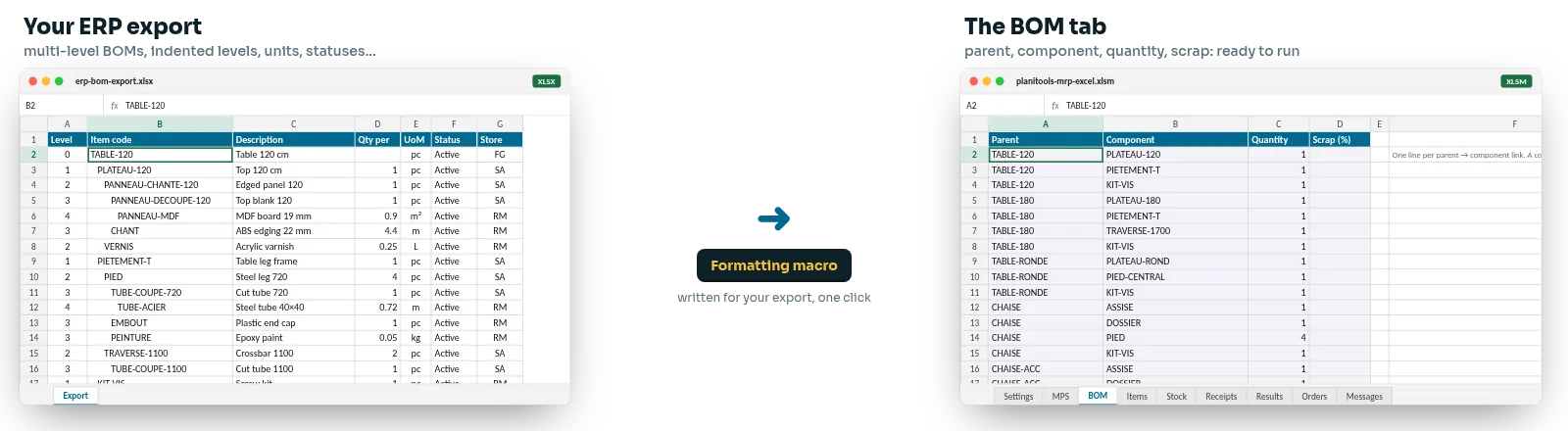
An indented BOM tree export, an MPS that comes out as a list of orders, stock per warehouse across three files: rather than reshaping them by hand every week, a macro written for your export pastes them into the workbook in one click.
BOMs as a tree
The ERP export shows levels as indents, one code per line, with the unit and status alongside. The macro rebuilds the parent → component links and leaves out obsolete items.
MPS as a list of orders
Your sales orders and forecasts come out line by line, with a date. The macro totals them per item and per week, and places them in the MPS grid.
Stock and receipts all over the place
Three warehouses, a purchasing file, a manufacturing order report: the macro adds them up, converts units if needed, and fills in Stock and Receipts.
A small piece of development, quoted before we start, from a sample of your exports. Tell us in the form.
A real MRP engine, not a template to rework
€0
the workbook, yours to keep
2,000
items per run
20,000
BOM links, with unlimited levels
120
periods: days, weeks or months
Your data
What goes out, what comes back, where it runs
It is the first question any manufacturer asks. Here is the short answer.
What is sent
The input tabs and nothing else: item codes, quantities, BOMs and, if filled in, parameters, stock and receipts. No prices, no customers, no suppliers.
What comes back
The Results, Orders and Messages tabs, written into your workbook. The result is yours: keep it, print it, send it to the shop floor.
Where and how
The transfer is encrypted (HTTPS). The run takes place on our website's server, in a few seconds, and the answer comes back into your workbook. Your file stays on your computer. To stop, you simply stop clicking.
What it costs
The workbook is free. The calculation is free for two months.
No card, no commitment. Try it on your real items, then decide.
The workbook
- Sent by email with your key
- Sample data included, user guide
- It stays yours, with or without the calculation
The calculation service
- Two months from receipt of your key, unlimited runs
- Then an annual subscription, which you can cancel at each renewal; the price, in euros, is in the email that comes with the workbook, before any commitment
- Invoice from Planitools, payment by bank transfer
And to go further
- Your manufacturing orders tracked on the shop floor with Planitrack
- Advanced MRP, with capacity and your ERP, with Planiprod
- The same items and rules as the workbook

Your questions about MRP in Excel
The ones we are asked before people request the workbook.
MRP (material requirements planning) starts from what you want to deliver (the master production schedule), explodes your bills of materials to work out what to make and buy, nets off stock and scheduled receipts, and dates each order release by offsetting lead times. It is the heart of any production planning system. The workbook does it across all your BOM levels, from your MPS.
It is an excellent way to start. The calculation does not happen in Excel but on our server: Excel is where you paste your data and read the result, which it does very well. You keep your files and your habits, and you get a real multi-level MRP run without an IT project. The day you want more (several planners, capacity, your ERP read every morning), you move to software that takes over the same items and the same rules.
A file received by email is marked as coming from the internet, and Excel shows a red banner. Close the workbook, right-click the file, Properties, tick “Unblock”, OK. Reopen it and click “Enable Content”. You only do this once. The guide shows it with a screenshot.
Export them to Excel or CSV and paste them into the BOM tab: three columns are enough, parent, component, quantity. If your export comes out as an indented tree or across several files, we write the macro that reshapes it in one click (see above). The first time takes a few minutes; after that, it is one copy and paste a week.
Up to 2,000 items, 20,000 BOM links and 120 periods per run. The number of levels is not limited: six in the sample, ten or more in your plant if your products are made of sub-assemblies of sub-assemblies. A BOM that loops back on itself is rejected, with the items concerned listed in the Messages tab. Beyond these limits, let's talk about Planiprod.
All three. You choose the time bucket in the Settings tab, and the headers of your MPS set the periods: any day, a Monday per week, or the 1st of the month. The planning horizon is that of your MPS, and the result keeps your columns as they are.
A connection, yes, during the run: the workbook sends your tabs to the service and receives the result. The rest of the time, it works like any other workbook. It is built for Excel for Windows; a Mac version is not planned for version 1.
The workbook stays yours, with its latest results. To keep calculating, you take out the annual subscription, at the price given in the email that came with the workbook; your key starts working again without changing anything in the file. Otherwise, nothing happens: no direct debit, no pushy reminders. You cancel with a simple email at each renewal.
The workbook runs MRP on what you paste in: it is the first step. Planitrack takes over on the shop floor: orders become manufacturing orders shown at the workstation, scanned and tracked in real time. Planiprod takes over the calculation: several planners, your ERP read every morning, load against capacity, the factory calendar, and programmable calculation columns explained with a right-click. All three work with the same items and the same BOMs.
Because it is our way of getting to know you. We design production planning and shop floor tracking software for small and medium-sized manufacturers; a company with a master production schedule and bills of materials is a company we like working with. The workbook helps you straight away, and shows us what you need. If you never go further, you will still have an MRP that works.
What comes next
MRP in Excel is an excellent start. The next step is ready.
The same items, the same BOMs, the same lot sizing and lead time rules: what you tidy up in the workbook carries straight over into our software. Nothing to re-enter, nothing to relearn.
Today: the workbook
Your full multi-level MRP run, on your MPS, in one click. Free, with no IT project. You learn what your parameters change, week after week.
Tomorrow: manufacturing orders on the shop floor, with Planitrack
Planned orders become manufacturing orders shown at the workstation, scanned operation by operation and tracked in real time: progress, time spent, drag-and-drop scheduling.
Further: advanced MRP, with Planiprod
Several planners, your ERP read every morning, load against capacity, the factory calendar, several sites, and calculation columns you program yourself, explained with a right-click.
Get the workbook
The MRP Excel workbook and your key, by email
Fill in the form: we send you the workbook, your calculation key and the user guide within two working days. Free, no card needed.
- You receive the workbook and the key in your inbox.
- You unblock the file, then paste the key, your MPS and your BOMs.
- You click “Calculate requirements”: two months to try it on your real items.
Sent by the team that builds the tool, from an address you can reply to.
An MPS, some BOMs, and ten minutes.
That is all it takes to see your first MRP net requirements run in Excel.
Get the free workbook
How it works
Three steps, and your MRP is up to date
1
Paste
Your MPS, items in rows and periods in columns, in the MPS tab. Your BOMs, parent, component, quantity, in the BOM tab. From your ERP, your current file or typed in.
2
Click
The “Calculate requirements” button sends your tabs to our calculation service and writes the result back into the workbook, in a few seconds. Nothing to install, nothing to configure.
3
Read
The Orders tab lists what to release, make or buy, with the quantity, the unit, the release date and the due date. The Results tab shows each item, period by period.
Get the free workbook