
An operations director sees that poor quality is costing too much, and that the company struggles to keep committed, skilled people along the whole production line. Rather than adding a final inspection, he decides to build quality checks into the production management software, at the workstation, at the step where the defect arises. This case study describes the module we put in place, its rules and the resistance we met.
Background: a joinery manufacturer
The client is the industrial joinery manufacturer for which we have described the roll-out of production workstations ; the quality module is one of its building blocks. The ERP remains the master record for products and expected answers; the custom production software runs the workstations and, now, the quality checks.
The problem: defects found too late
Non-conformities were discovered late, and their cost (rework, scrap, delays) was judged too high by the operations management. Operators had neither precise instructions nor systematic checks at the workstation; nothing stopped a defective product before the next operation, and no supervisor was alerted. On top of this came a common situation in manufacturing: staff who were hard to engage and to train across the whole line.
Quality checks in production software: what we put in place
The inspection process
- Definition of the key points to watch on the product, operation by operation.
- Set-up of these points in the ERP, which stays the master of the expected answers, and transfer to the production software.
- Display of a checklist on the production workstation, at the relevant step.
- A correct answer shows a green tick; a wrong answer shows a red cross, without revealing the correct answer.
- With 100% correct answers, the product moves on to the next operation. At the slightest error, it is blocked and a supervisor has to step in to release it.
Questions can be numeric, free text, tick box or drop-down list, and depend on the manufacturing operation and the product's routing.
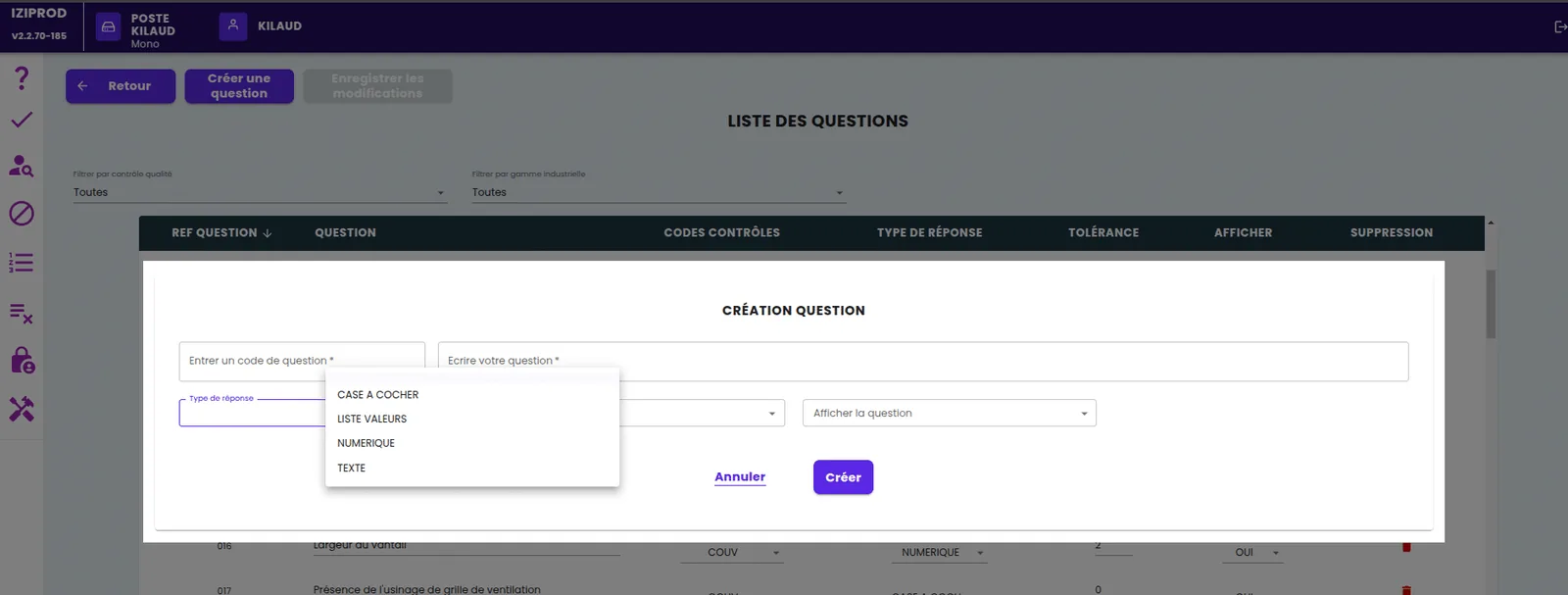
A configurable module
The client wanted to support the launch of new product ranges and to adjust how detailed the checks are without any development. The module lets users configure checks and questions, show questions in random order, trigger random checks and schedule data capture at a set frequency: for example, automatically recording the temperature of a blade on a machine.
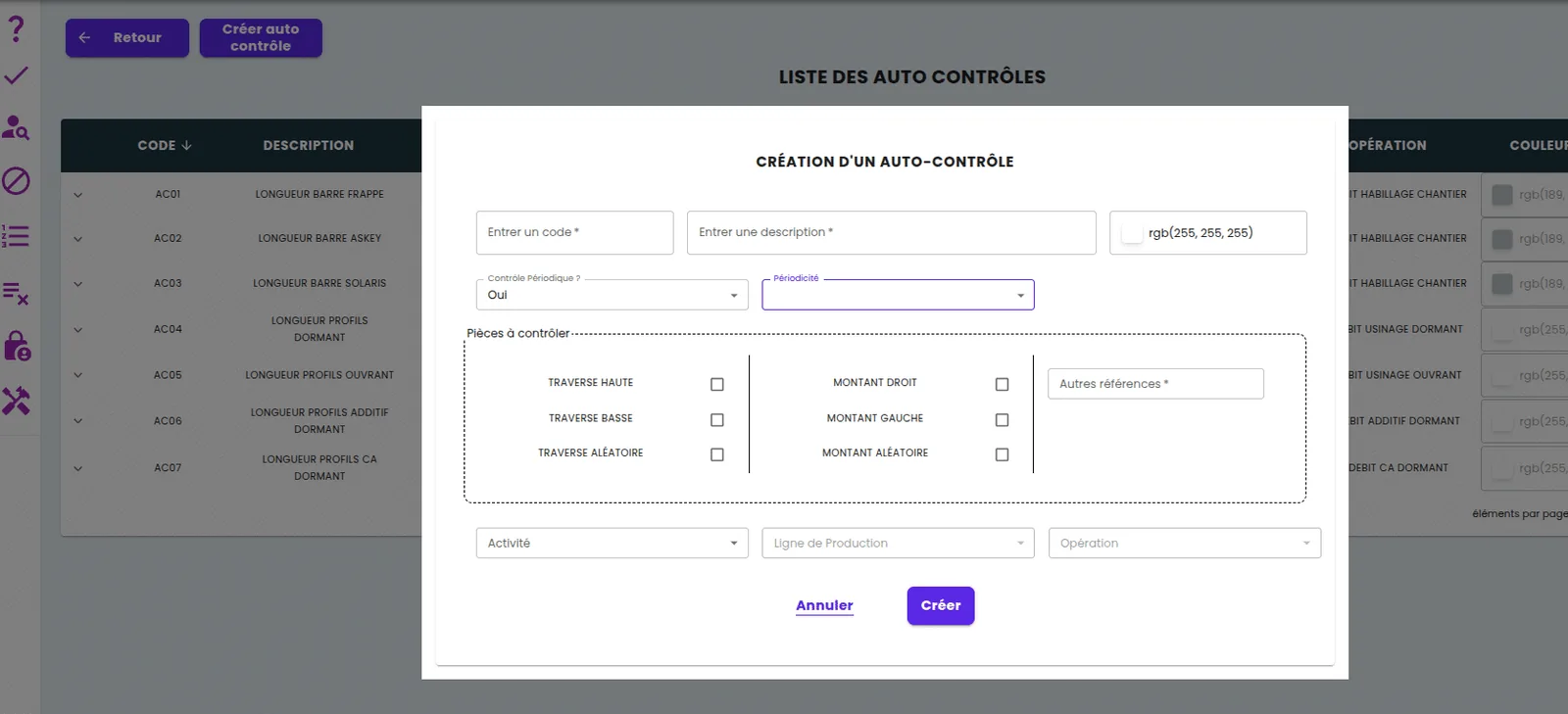
Blocking, access rights and remanufacturing
- List of blocked products, with configurable blocking reasons and operator comments to qualify each block and release.
- Option for the operator to block a product on their own initiative, without a prior check.
- Launch of partial remanufacturing, with a purchase order for components raised if needed.
- Access rights per operator; a new operator cannot answer the checks alone.
- Double approval on large orders.
- Administration of all answers given.
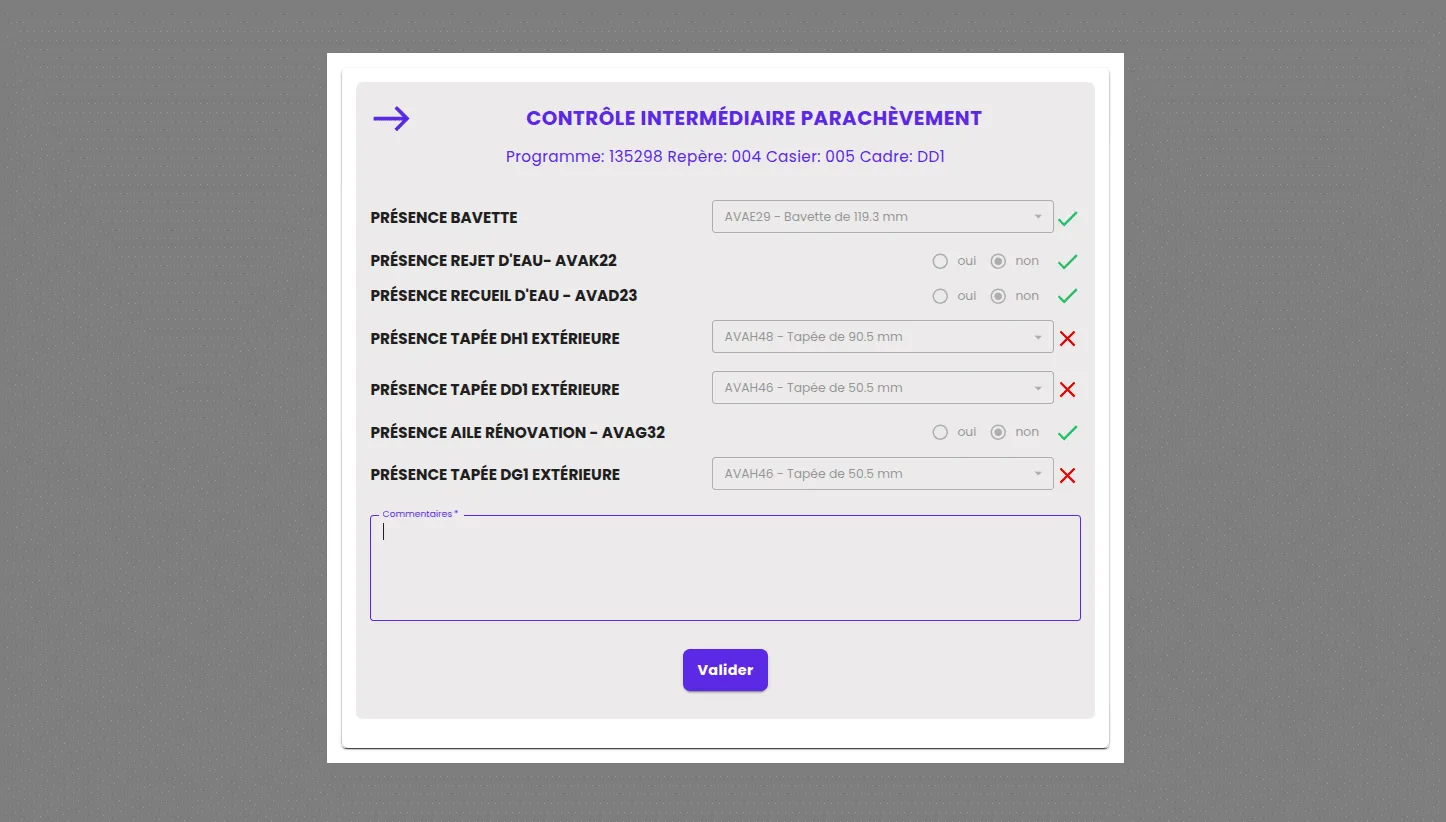
One rule needed care: a blocked product must not stop the others from moving on. The manufacturing order therefore progresses partially, and the operator at the next step is told that part of the order is blocked upstream.
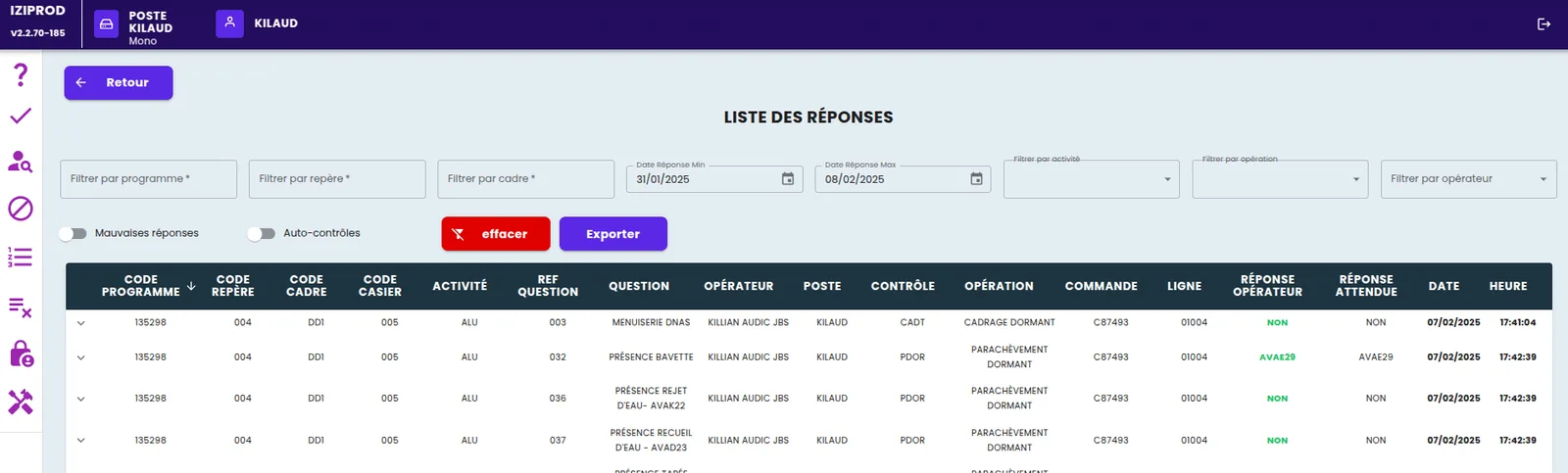
The difficulties we met
- Operator acceptance. Some felt that certain questions were irrelevant to the product in hand; others found that the checks took too long. We had to find the balance between quality and productivity.
- Balancing the checks. Some operations call for more questions than others; the spread across the manufacturing steps was adjusted several times.
- IT complexity. Configuration is the real work. The ERP stays the master of the expected answers and must pass them to the production software, but the ERP team does not always know every product detail, which makes retrieving the right data harder.
Results of the quality module
Rolling out the checks was a success. The team became more skilled and more rigorous in analysing products. Adjustments are still needed, but the client already sees better control of quality and a significant reduction in the costs of non-conformities.
What we take from this quality project
Quality checks in production software are first and foremost a training tool: the red cross without the correct answer forces the operator to understand, and that is where skills grow. Second lesson: relevant questions are built with the operators, not against them; one question seen as absurd at the workstation discredits the whole checklist. Third lesson: the hard part is not the screen, it is the reference data. As long as expected answers are not kept up to date in the ERP by people who know the product, the check checks nothing.
And today: where to start with quality checks
For an SME that wants to start from the shop floor, Planitrack records each operation by operator and by manufacturing order, with actual times, and provides the framework (who did what, and when) on which checks can be built. For those that want an ERP with built-in checks, the Odoo Quality app offers, as standard, control points triggered on a manufacturing operation, a receipt or a delivery, measurements with tolerances and quality alerts: we deploy it as part of our Odoo implementation for manufacturers. Request a demo.