
A marinated poultry workshop, part of a large food company, had to plan its production, schedule two dependent workshops and trace its batches, without waiting for the MRP module of the group's ERP. Here is how we built an MRP planning and traceability tool for a food workshop in Excel and VBA, what it made possible, and what we take away from it.
Background: MRP planning and traceability in a food workshop
The workshop is split into two dependent sub-workshops. The downstream workshop packs the marinated meats in sealed or vacuum trays, on several lines; the cases go by conveyor to the logistics platform. The upstream workshop tumbles the meat with the spices and feeds the packing lines; it is supplied by the in-house cutting workshops and by many meat and spice suppliers.
The group's ERP holds stock, work in progress and orders; sales forecasts come from another Excel workbook. An ERP project with an MRP module was under way, but its timescale was too far off for the workshop.
The planning problem in the marinade workshop
The workshop needed a working tool very quickly, covering the whole decision chain: a 17-day production plan, updated every day; automatic production proposals, respecting rounding and minimums, that the planner can correct; load per line; scheduling of manufacturing orders with allergens at the start of production to limit cleaning; mixing triggered as a pull flow by a net requirements calculation (MRP run); control of meat supplies; and finally traceability of the batches in each mix, for food safety inspections and recalls.
What we built for the marinade workshop
Excel and VBA were chosen for speed, and because the tool would serve as a prototype for the future ERP module. Meetings with the teams set the target process; the tool was then built in six blocks.
1. The MRP plan for finished products
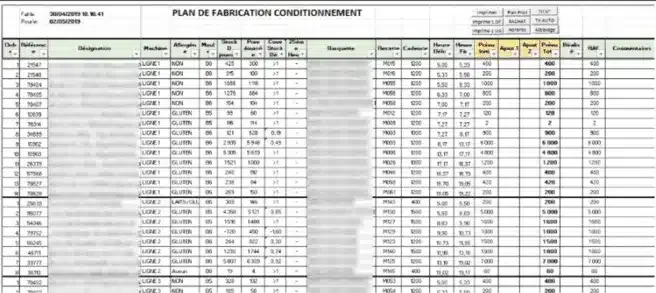
A table lists the finished products, with one column per day over 17 days. Stock, work in progress and orders come from the ERP, forecasts from the forecasting workbook. The projected stock at the end of one day becomes the opening stock of the next. Main columns: opening stock, target cover, calculated proposal, requested production (the manufacturing order), production known to the ERP, forecast summary and actual sales.

2. The load plan per line
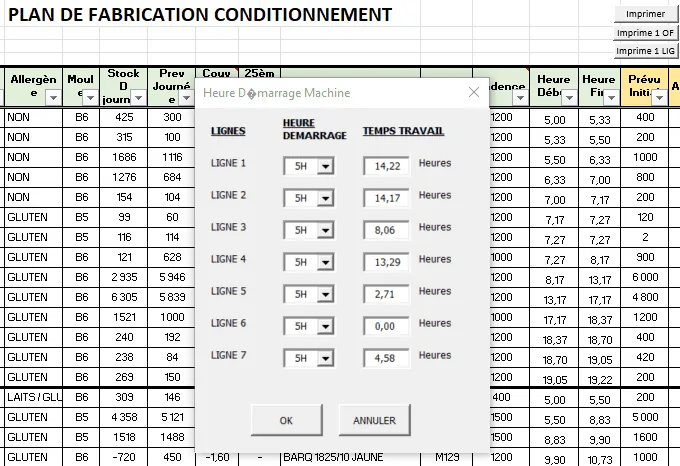
Each product has a main line and a run rate on its item record. The plan is broken down by day and by line, and the run rates turn it into working hours, which the planner checks and adjusts. The first week rests on the planner's validated plan; the second receives the automatic proposals, which saves time.
3. Scheduling packing orders
Manufacturing orders are then scheduled on each line according to three rules: grouping by line; products with allergens at the start of production, grouped by allergen type; then the other orders by urgency, lowest cover first. The run rate gives the start and finish time of each order. A VBA form shows the working time per line and adjusts the start time so that the last order finishes on time. Orders are exported as CSV to the group's ERP for display on the shop floor terminals; paper printouts support the transition.
4. The MRP run and mixing schedule
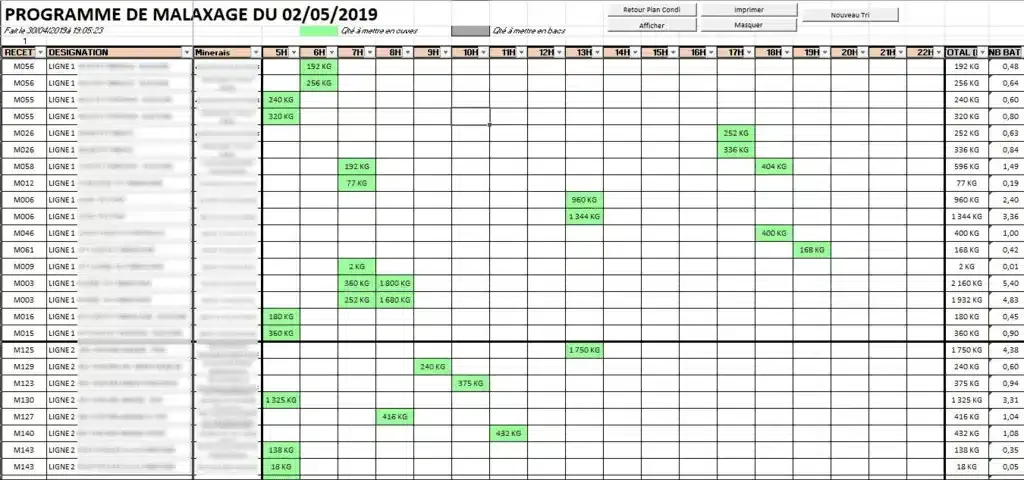
The packing plan pulls the preparation of the meat. Each finished product has its bill of materials, entered through a form. An MRP-type algorithm calculates the meat to mix according to the nearest packing times: if finished product 21547 (BOM M015) goes on the line at 5 a.m., the algorithm looks for the other finished products that use this meat and adds up the quantity using the BOM coefficients. It generates a printable sheet with the scheduled mixing plan.
5. Controlling supplies
The same MRP run gives meat consumption per day, in kilograms, with a summary for the current week and the next. The planner places supplies so that projected stock never goes negative; a summary table is used to enter or import the orders into the ERP.
6. Mixing traceability
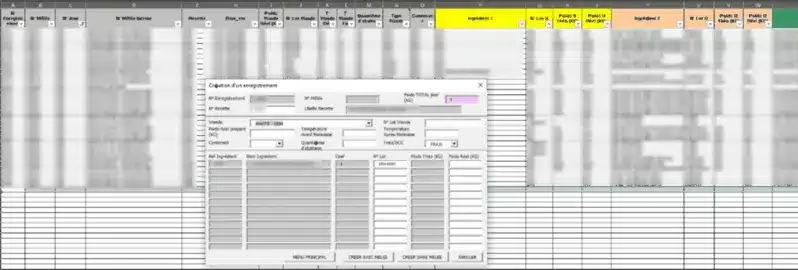
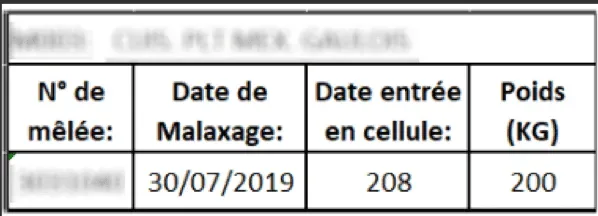
At the time of mixing, a VBA form records the batch numbers of the materials, read by scanner from the barcodes, in a protected tab that forms the history. The workbook prints a traceability label, in A4 or Intermec format on an industrial printer, which follows the mixes through to packing and serves as the reference during food safety inspections and batch recalls.
Results in the marinade workshop
The tool, designed as temporary, lasted, with continuous improvements. The automatic proposals saved the planner time on the second week of the horizon. Thanks to the bridges created by the workbook, the IT teams began building some functions into the ERP, starting with the import and export of production data.
What we take away from the marinade project
- Process first. The scoping meetings produced more value than the code: that is where the workshop decided how it wanted to plan.
- Pull flow is set by the hour, not the day. It is the time a product reaches packing that sizes and sequences the mixing.
- Traceability is won at data entry. Scanning batches at the time of mixing takes a few seconds; rebuilding them afterwards is impossible.
- Excel is a good prototype, not a target system. It made a fast start possible; one user at a time, VBA to maintain and data duplicated with the ERP are reminders that it must prepare the next tool.
And today: MRP and traceability as standard
What this workbook did in VBA, our software does as standard. Planiprod covers MRP planning: MPS, net requirements calculation, load per line, proposals with rounding and minimums, in tables where every column can be programmed as in the workbook, fed by the ERP or by Excel. Planitrack covers the shop floor: barcode scanning with a handheld scanner or a phone, by manufacturing order, by operation and by operator, with real-time progress. Both leave the ERP as the master for manufacturing orders and purchasing. See more client case studies, or request a demo.